Shaira Urbano
best ddr4 ram

Best DDR4 RAM for Smooth and Reliable Performance

Choosing the best DDR4 RAM can make your computer run faster and smoother, whether you’re gaming, streaming, or editing videos.

The best DDR4 RAM gives you reliable speed, enough capacity, and solid performance without overspending.

You get quicker load times and fewer slowdowns, especially when you multitask or use demanding software.

DDR4 remains a smart choice even with DDR5 on the market because it offers great value and compatibility with most systems. You’ll see how to pick the right modules for your setup and understand what truly affects performance.

Pair your DDR4 RAM upgrade with dependable storage from the Internal SSD collection.

Understanding DDR4 RAM

Understanding DDR4 RAM

DDR4 memory helps your computer run faster and more smoothly by storing data that your processor needs right away. You get better performance by choosing the right speed, capacity, and number of memory sticks for your system.

What Is DDR4 RAM?

DDR4 RAM, or Double Data Rate Fourth Generation memory, is the main type of computer memory used today. It temporarily holds data for quick access so your computer can open apps, edit files, and run games faster.

Compared to older memory types like DDR3, DDR4 runs at higher speeds, uses less power, and supports larger memory sizes per stick.

Most modern PCs and laptops use DDR4 because it balances performance and cost well.

You can find DDR4 modules in sizes from 4GB to 32GB per stick, with speeds often between 2133 MHz and 4000 MHz or more.

Higher speeds help with games and creative software but don’t make a big difference for simple tasks like web browsing or word processing.

DDR4 vs DDR5: Key Differences

DDR5 is the newer generation of memory that improves speed and efficiency even further than DDR4. It supports higher bandwidth and uses power more effectively, which helps with demanding tasks like 3D rendering and heavy gaming.

The table below shows basic differences:

Feature

DDR4

DDR5

Release Year

2014

2020

Typical Speed

2133–4000 MHz

4800–8400 MHz

Max Capacity per DIMM

32GB

128GB

Voltage

1.2V

1.1V

DDR5 can handle more data at once, but it also costs more and isn’t supported by every motherboard. If your system only supports DDR4, upgrading within DDR4 is still a solid choice.

DDR4 RAM Architecture and DIMMs

A DIMM (Dual Inline Memory Module) is the physical stick you plug into your motherboard. Each DDR4 DIMM contains memory chips arranged to send and receive data in bursts, allowing faster communication with your CPU.

DDR4 DIMMs use 288 pins and a notch positioned differently from DDR3, so you can’t insert them into the wrong slot. They also include Error-Correcting Code (ECC) options for servers and workstations where stability matters most.

Most desktop PCs use two or four DDR4 DIMMs in a “dual-channel” or “quad-channel” setup to boost speed. Keeping pairs matched in size and speed helps your system perform its best.

Top Picks for the Best DDR4 RAM in 2026

Top Picks for the Best DDR4 RAM in 2026

Good DDR4 RAM helps your computer run smoother for gaming, work, and general use. You can pick from many models depending on your budget and system needs. What stands out the most are speed, reliability, and compatibility.

By reading our guide, DDR4 RGB Silver X: Transform Your Gaming Experience, learn how to maximize your gaming setup.

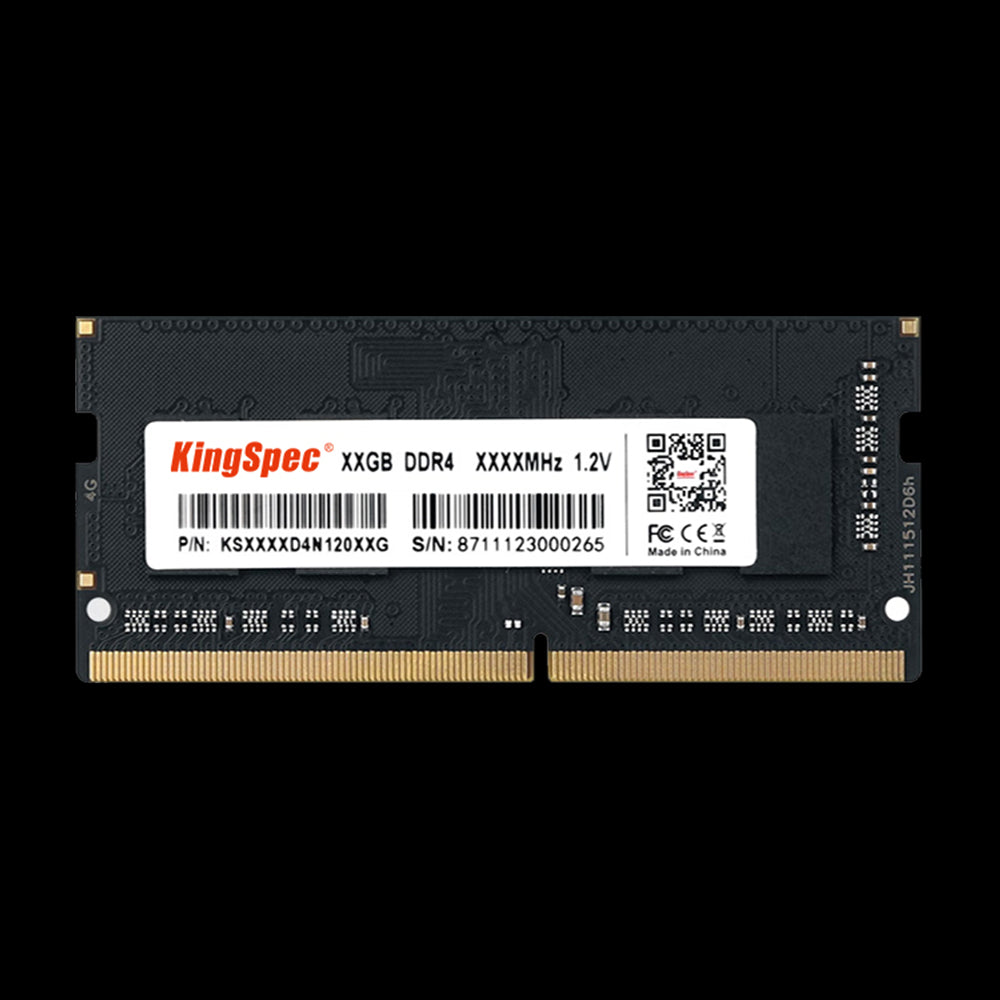
1. Kingspec DDR4-NB

Kingspec DDR4-NB

Kingspec DDR4 targets laptops and small systems. It is known for low power use, which helps your battery last longer.

This memory supports speeds around 2666MHz to 3200MHz, offering a balance between cost and performance for notebook users. You can upgrade older laptops to this RAM to boost boot-up times and app performance.

The compact form factor (SO-DIMM) makes installation simple. Even without flashy designs, it focuses on stable output and long-term reliability.

If you need an affordable laptop upgrade, DDR4-NB modules give noticeable gains in everyday work and streaming.

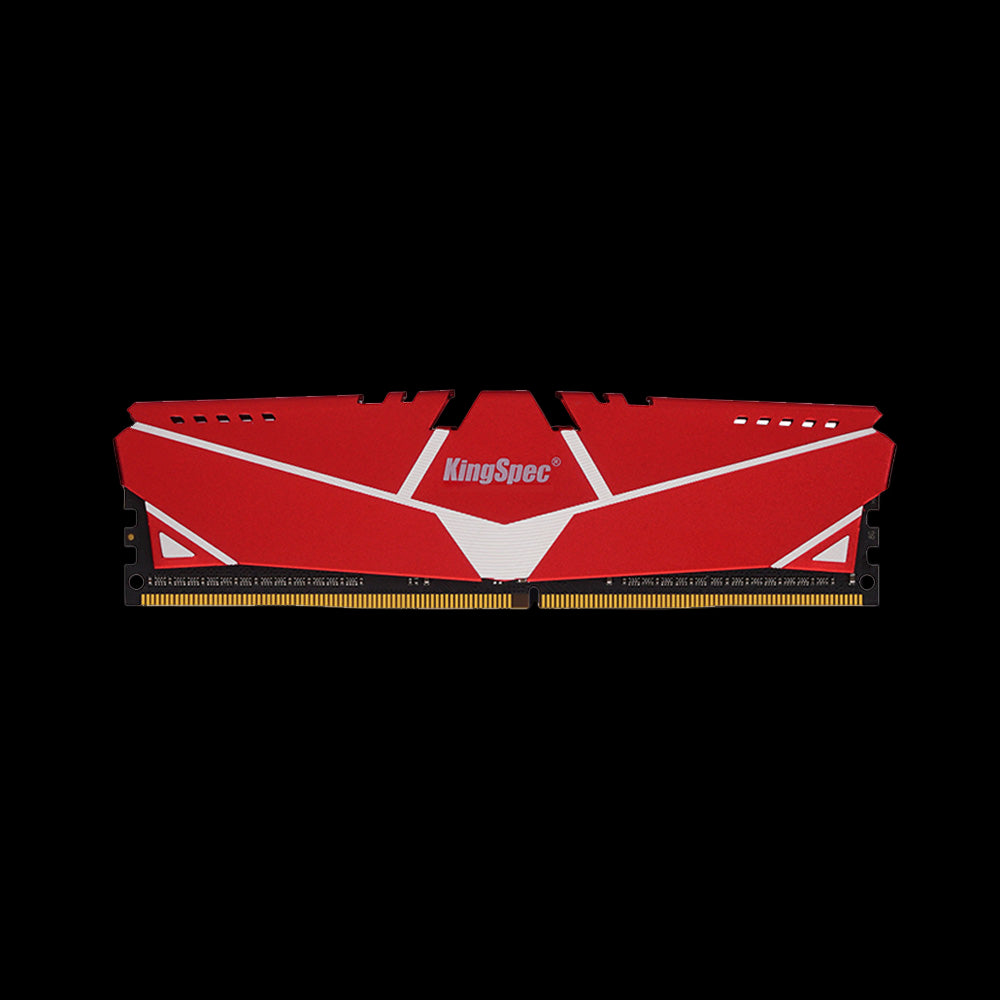
2. DDR4 RAM Memory with Heatsink

DDR4 RAM Memory with Heatsink

KingSpec’s DDR4 RAM Memory with Heatsink delivers reliable high-performance memory for desktop and gaming builds. Operating at 3200MHz, this module offers fast data transfer speeds with a custom heatsink that effectively dissipates heat, ensuring stable operation under heavy workloads.

It features low power consumption and is designed to maintain optimal temperatures with an operating range from 0°C to 85°C.

The module is ideal for gamers and professionals looking for a balance of speed, stability, and durability. It also comes with a 3-year product warranty and expert technical support.

Key Specs

Details

Specification

Capacity

Varies (commonly 32GB kits)

Speed

3200MHz

Features

Custom heatsink for heat dissipation

Operating Temp.

0°C ~ +85°C

Storage Temp.

-20°C ~ +100°C

Warranty

3-Year Product Warranty

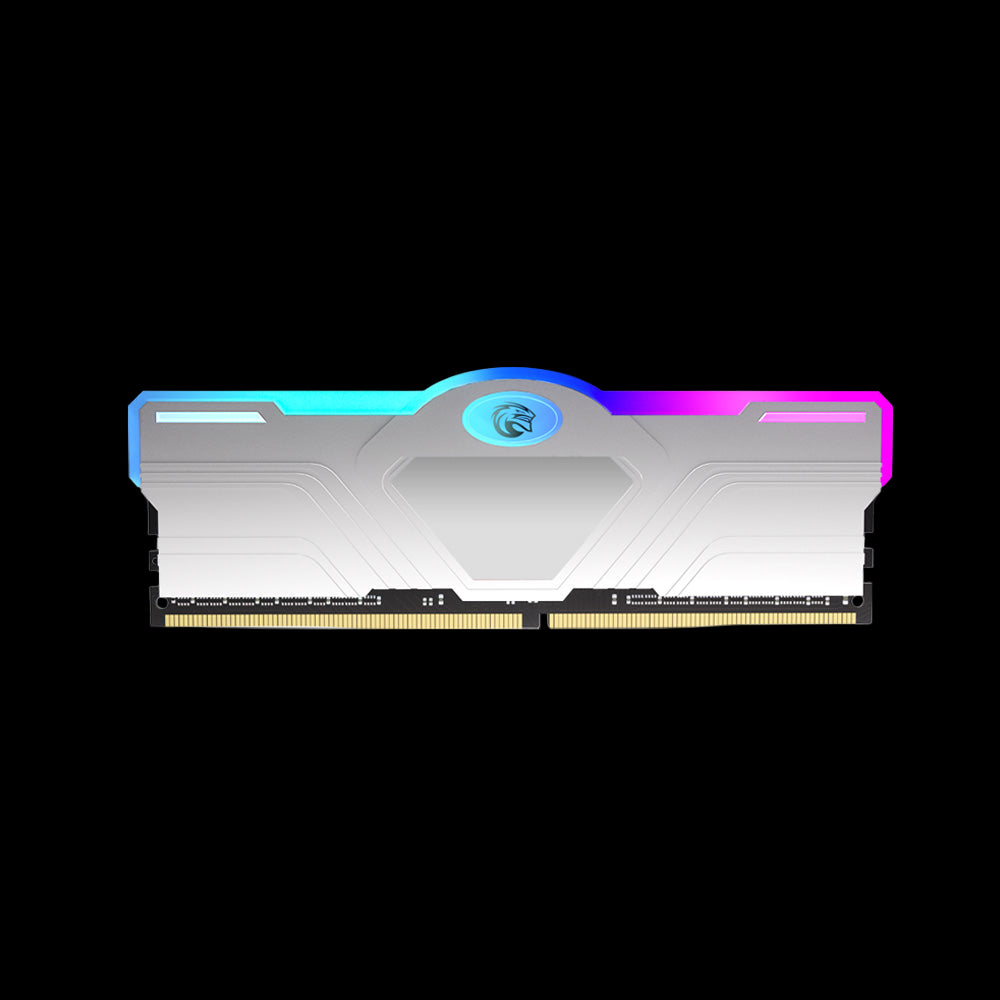
3. DDR4 RAM Memory Silver with RGB lights

DDR4 RAM Memory Silver with RGB lights

The KingSpec DDR4 RAM Memory Silver with RGB Lights is tailored for gamers and PC enthusiasts who want both performance and style. It operates at a blazing 3600MT/s speed with low CL18 latency and a 1.35V low voltage design, supporting XMP 2.0 for easy overclocking and advanced performance tuning.

The silver heat spreader is sleek and modern, complemented by vibrant RGB lighting to enhance any gaming rig's aesthetics. This memory module is compatible with ASUS and MSI motherboards and is backed by a 3-year warranty and expert technical support.

Key Specs

Details

Specification

Capacity

Varies (commonly 16GB or 32GB kits)

Speed

3600MT/s

Latency

CL18

Voltage

1.35V

Features

RGB lighting, silver heat spreader

Compatibility

ASUS/MSI motherboards

Warranty

3-Year Product Warranty

4. G.Skill Trident Z and High-Performance Options

G.Skill Trident Z is favored by gamers and PC builders who want speed and design together. Available in models up to 4000MHz+, it delivers strong performance in CPU-heavy games and 3D workloads.

The RGB lighting adds style without affecting cooling or function. You can fine-tune memory timings for overclocking, which advanced users appreciate.

The aluminum heat spreaders improve durability and help the RAM stay stable under stress. G.Skill also provides XMP support, which lets you apply the best settings quickly through your BIOS.

Feature

Detail

Typical Speeds

3200–4400 MHz

Sizes Available

16GB, 32GB, 64GB kits

Notable Use

Gaming, video editing, multitasking

5. Corsair Vengeance LPX and RGB Pro SL

The Corsair Vengeance LPX and RGB Pro SL lines remain top-selling DDR4 options in 2026. The LPX version has a low-profile heat spreader, perfect for smaller builds and tower coolers.

Speeds range from 3000MHz up to 4000MHz, offering responsive system performance. The RGB Pro SL adds lighting features for users who enjoy customizing their desktop.

Both series run well with AMD and Intel systems and have a strong reputation for reliability. Corsair backs these with lifetime warranties and broad motherboard compatibility, so setup stays simple for you.

If you are upgrading your PC, the LPX series suits compact builds, while RGB Pro SL is great for high-end gaming rigs. Both deliver fast and stable results over time.

6. Crucial Ballistix and Alternatives

The Crucial Ballistix lineup focuses on consistent speed and strong value. You can find it in versions from 2666MHz to 3600MHz, offering steady performance for general users and gamers.

It supports XMP profiles for quick setup on Intel and AMD platforms. Crucial memory is built with Micron chips, known for dependable quality. The heat spreader design keeps temperatures steady without being bulky.

While Crucial stopped new Ballistix production in some markets, older models remain popular for dependable builds.

Alternatives like TeamGroup T-Force Vulcan Z and Patriot Viper Elite II also give good results with similar speed and pricing. They are easy to find and often cost less than premium RGB models, making them smart choices if you need the best DDR4 RAM for practical use.

Performance Factors and Compatibility

Performance Factors and Compatibility

Picking the right DDR4 RAM depends on how fast it runs, how quickly it responds, and how well it works with your system.

Good memory setup can boost frame rates, shorten load times, and keep your PC stable under pressure.

RAM Speed and MHz Ratings

RAM speed, measured in MHz, shows how fast your memory can move data. Higher MHz often means better performance, especially for gaming, video editing, and multitasking.

DDR4 RAM usually ranges between 2133 MHz and 4000+ MHz, with 3200–3600 MHz being a solid balance for most setups.

You’ll see memory kits labeled like DDR4-3200 or DDR4-3600. The first number, DDR4, shows the type, while the second number shows its speed.

Faster RAM can help when your CPU and tasks rely on data transfer rates.

Still, higher speeds may bring only small real-world gains unless your CPU or software uses that extra bandwidth. Always check your motherboard’s supported RAM speeds to avoid mismatched parts.

CAS Latency Explained

CAS latency (CL) measures how long it takes your RAM to respond to a data request. You’ll see it written as values like CL16, CL18, or CL20.

Lower numbers mean faster response time. It’s best to look at both speed and latency together.

For example, DDR4-3200 CL16 RAM can perform roughly the same as DDR4-3600 CL18 RAM, depending on your system.

You can use this quick tip:

RAM Speed

CAS Latency

Balanced Option

2666 MHz

CL15-16

✅ Stable choice

3200 MHz

CL16-17

✅ Common sweet spot

3600 MHz

CL18

✅ Great for gaming

Lower latency helps with smoother multitasking and slightly faster response times in games or apps that rely on memory access.

XMP & XMP 2.0 Support for Easy Overclocking

XMP (Extreme Memory Profile) is an Intel feature that lets you run RAM at its rated speed without manual tuning. Most modern motherboards support this through a simple BIOS setting.

XMP 2.0 offers updated profiles and better stability for newer DDR4 kits.

If you use an AMD system, you might see DOCP or A-XMP, which work the same way. Turning on XMP loads the right speed, voltage, and latency so the RAM performs as advertised.

Overclocking beyond those settings may give a small boost, but it also increases heat and risk. If you value reliability, stick to your XMP profile for safe and steady speeds.

Motherboard and Platform Considerations

Your motherboard decides which RAM type and speed it supports. Check the board’s QVL (Qualified Vendor List) or manual for compatible DDR4 kits.

Mixing brands or unsupported speeds can cause boot issues or system crashes. Different platforms also matter. Intel boards often handle higher MHz speeds more easily.

AMD AM4 boards benefit most from memory running around 3200–3600 MHz. That range works well with Ryzen CPUs, which link memory speed to their internal communication system.

Always install RAM in the correct slots (usually marked on the board) to enable dual-channel mode, which doubles data bandwidth. Matching kits, not random mixes, keep your PC fast and stable.

For versatile external storage, check out the Memostone External Storage collection.

Choosing the Right DDR4 RAM for Your Needs

Choosing the Right DDR4 RAM for Your Needs

When picking DDR4 RAM, focus on how much memory your work or games need and how to match it with your system. Good choices depend on what you do with your PC, not just buying the fastest kit you can find.

Memory Capacity for Gaming PCs

The amount of RAM in your gaming PC affects smooth play and load times.

16GB is the best point for most gamers in 2025. It gives enough space for new titles and multitasking without spending too much.

If you stream or edit videos, 32GB can help your computer run heavy programs better. Game titles such as open-world or simulation games take more memory to handle large areas and assets.

To get the most value, check your game’s recommended specs, not just minimum ones. Use two sticks instead of one when you can. This setup runs in dual-channel mode, doubling data transfer speed.

Most motherboards support this, and performance gains can be 10–20% smoother frame times.

Usage Type

Recommended RAM

Channel Setup

Casual / eSports

8–16GB

Dual

Modern AAA Games

16–32GB

Dual

Streaming + Editing

32GB+

Dual

Upgrade Advice for Legacy Systems

If you built your PC a few years ago, DDR4 is still a strong choice. It offers wide support on older Intel and AMD boards, keeping your upgrade cost low. You don’t need to buy a new CPU or motherboard if yours already supports DDR4.

Before buying, check your system manual to confirm RAM frequency and maximum capacity. Common DDR4 speeds are 2666MHz to 3600MHz.

Faster modules can work, but many boards lower them to match supported speeds unless you adjust settings.

Also match voltage and timing with what your board can handle. Pick reliable brands like Crucial, Corsair, or Kingston for stability. You’ll gain longer life and steady performance without risking compatibility issues.

Optimal Configurations and DIMM Placement

Motherboards have two or four DIMM slots, and how you fill them matters. Always read the slot guide printed near the sockets or in your board’s manual. Most boards use A2 and B2 positions for two-stick setups to enable dual-channel mode.

Try to keep all your DIMMs the same brand, speed, and size. Mixing memory types can cause instability or slower operation.

If you need more RAM later, buy another kit that matches your current one. For best airflow and heat control, install modules evenly and avoid blocking CPU cooler fans.

Some builders choose low-profile DIMMs to fit under large air coolers. A neat layout improves both cooling and upgrade flexibility down the road.

Wrap Up

DDR4 RAM remains a popular and cost-effective choice for many users, offering solid performance for gaming, office work, and everyday computing. When selecting the best DDR4 RAM, focus on speed, capacity, and compatibility.

KingSpec’s DDR4 memory modules deliver excellent reliability and performance to enhance your PC’s responsiveness. Check out KingSpec’s DDR4 RAM lineup to find the ideal balance of speed and value for your system.

Find reliable DDR4 memory modules in the DDR RAM collection to boost your PC’s performance.

Frequently Asked Questions

How does RAM speed and latency impact computer performance?

Higher RAM speed helps your system move data faster, which can improve frame rates and load times in games Lower latency lets your computer access data more quickly.

While differences may be small in everyday use, the effect can be clear when gaming or editing videos.

What's the difference between dual-channel and quad-channel configurations?

Dual-channel setups use two sticks of RAM to double the data path, improving speed over single sticks. Quad-channel setups use four sticks and move more data at once.

Most home PCs won’t notice a big difference unless running heavy creative or scientific apps.

How much DDR4 memory do I need for multitasking efficiently?

16GB is ideal for most users who browse, stream, and use office apps all at once. If you do video editing, 3D modeling, or run many programs, 32GB or more will feel smoother.

Is there a noticeable difference between 16GB and 32GB of DDR4 RAM?

You’ll notice faster switching between apps and better performance in demanding work with 32GB. For general gaming and light work, 16GB usually runs just as well and costs less.

SHARE:
PREVIOUS NEXT