
If you’ve recently built a PC or upgraded a laptop, you’ve likely encountered the sleek, stick-of-gum-sized component known as the M.2 NVMe SSD. It’s fast—blazingly fast. But with that speed comes a question that sparks endless debates in forums and comment sections: Does it need a heatsink?
Why Do SSDs Get Hot in the First Place?
NVMe (Non-Volatile Memory Express) drives communicate directly with your CPU via the PCIe bus. Unlike older SATA SSDs, which top out around 550 MB/s, a PCIe 4.0 or 5.0 NVMe drive can scream past 7,000–14,000 MB/s.
That speed generates heat—primarily from the controller chip, not the NAND flash memory itself. In fact, the NAND flash actually performs better when it’s warm (around 40–60°C), while the controller can start throttling performance once it exceeds 70–80°C to prevent damage.
So the real question is: are you pushing the controller hard enough to need cooling?
When You DON’T Need a Heatsink?
For most everyday users, the answer is no.
If your computer is used for:
- Web browsing and office work
- Light gaming
- Media streaming
- General file storage
…then the drive will rarely sustain heavy read/write loads long enough to overheat. In these cases, the drive’s own thermal throttling—or even a thin sticker that acts as a heat spreader—is sufficient.
Many modern motherboards also come with integrated M.2 heatsinks. If yours does, you’re already covered.
When You SHOULD Use a Heatsink?
There are specific scenarios where a heatsink is not just recommended, but essential.
1. PCIe 5.0 Drives
The latest generation of NVMe drives runs significantly hotter. Most PCIe 5.0 SSDs actually ship with a heatsink because passive cooling is mandatory to maintain advertised speeds. Running one without a heatsink will almost certainly cause thermal throttling.
2. Heavy, Sustained Workloads
If you regularly transfer huge files (like 4K/8K video editing, data science workloads, or large database operations), your drive will heat up quickly. A heatsink helps maintain peak performance over longer periods.
3. Confined Spaces
Laptops, mini-PCs, and compact builds often lack airflow. In these environments, an NVMe drive can soak up heat from surrounding components (GPU, CPU) and struggle to cool down. A low-profile heatsink can make a big difference.
4. You Want Peak Benchmark Performance
If you care about hitting every last megabyte per second in synthetic benchmarks, cooling is necessary. Without it, your drive will likely throttle before the benchmark finishes.
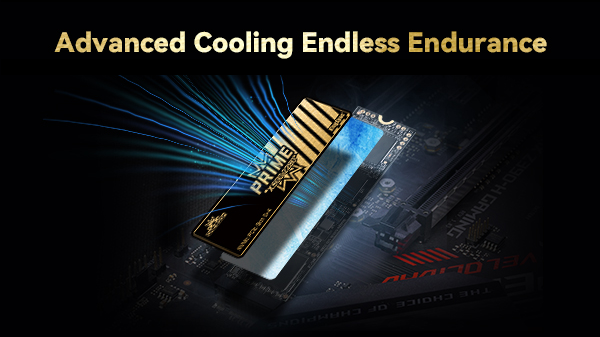
Types of Heatsinks
If you’ve decided you need one, here are the common options:
| Type | Best For |
| Motherboard-integrated | Clean look, good cooling, zero extra cost (if included) |
| Low-profile / thin | Laptops or tight builds where space is limited |
| Tall / finned | Desktop builds with good airflow; best cooling performance |
| Active (with fan) | Workstations with PCIe 5.0 drives under constant heavy load |
Can a Heatsink Be Harmful?
In rare cases, yes—but only if:
It doesn’t fit. If the heatsink is too tall and blocks your GPU or CPU cooler, don’t force it.
You peel the wrong sticker. Some drives have warranty stickers that double as thermal spreaders. Removing them improperly can void your warranty.
You use it in a laptop with no clearance. Some laptops have just enough space for a bare drive. Adding any heatsink could pressure the components or prevent the case from closing.
Read more on: Do M.2 NVMe SSDs Need a Heatsink? A Practical Guide to Better Cooling Performance
Think of a heatsink for your NVMe SSD like a hoodie: you don’t need it on a warm summer day, but when it’s cold or you’re pushing hard, you’ll be glad you have it.
For the vast majority of users, the heatsink that comes with your motherboard—or the drive itself—is plenty. But if you’re running a PCIe 5.0 drive, editing 8K footage daily, or building in a tight case, adding a proper heatsink is a smart investment in both performance and longevity.

