
Are you tired of your action camera dropping frames or freezing mid-jump? Choosing the best SD card for GoPro is the ultimate secret to capturing your most thrilling adventures without interruption.
Modern action cameras demand incredibly fast storage to handle massive high-bitrate 4K and 5.3K video processing.
If you use a generic, slow memory card, you risk losing your precious memories to sudden file corruption and persistent software errors.
In this guide, you will learn exactly which SD cards work best with GoPro cameras, how to choose the right one, and how to avoid costly mistakes.
The Best SD Cards That Work With GoPro Cameras

The best SD cards for GoPro are those that deliver consistent write speeds and long-term reliability. GoPro cameras continuously record large video files, so your SD card must keep up without slowing down.
Look for cards that meet these minimum requirements:
- U3 or V30 speed rating
- Reliable brand with proven durability
- Enough storage for your recording needs
These features ensure your GoPro records smoothly without dropped frames or interruptions.
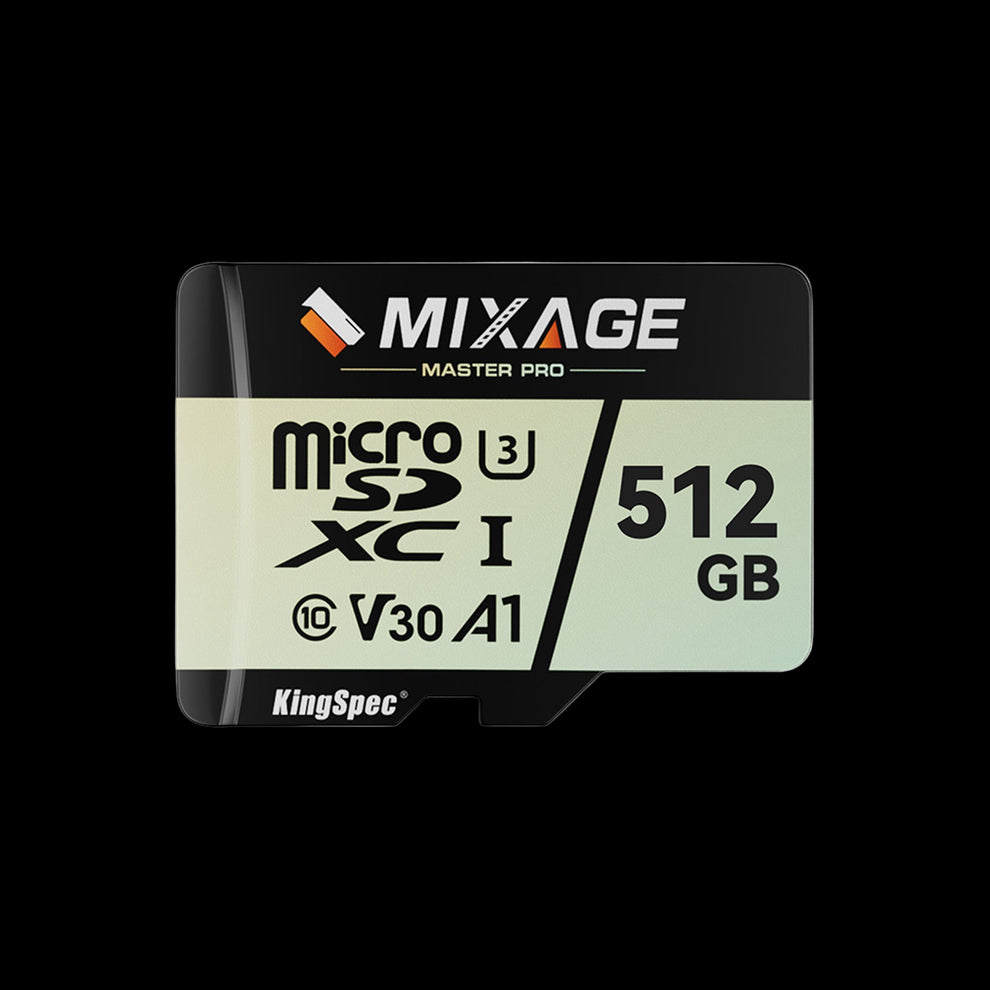
Get the MicroSD TF Card for your GoPro
Capture smooth 4K videos, action shots, and travel clips with a MicroSD TF Card built for speed, storage, and reliable GoPro performance.
Shop MicroSD TF CardTable 1: Minimum SD Card Speed Requirements by GoPro Model
| Camera Model Generation | Minimum Video Speed Rating | Minimum App Rating | Max Supported Capacity |
|---|---|---|---|
| HERO13 / 12 / 11 / 10 Black | V30 (30 MB/s minimum) | Class A2 | Up to 1TB |
| MAX2 / HERO (2024) | V30 (30 MB/s minimum) | Class A2 | Up to 1TB |
| HERO9 / 8 / 7 / 6 / 5 Black | Class 10 or UHS-1 (U1) | None Required | Up to 256GB (varies) |
| HERO4 / HERO Session | Class 10 | None Required | Up to 128GB |
| HD HERO2 / HERO3 | Class 10 | None Required | Up to 64GB / 32GB |
(Note: While some older models support large cards, always refer to your specific user manual to prevent file corruption limits.)
Why Video Bitrate Dictates Your Memory Needs
You cannot use a cheap gas-station memory card in a modern GoPro because of "video bitrate"—the amount of digital data recorded per second.
- Advanced settings like "Protune" push the video bitrate to 120 Megabits per second (Mbps). This translates to exactly 15 Megabytes (MB) of data created every second.
- A V30 card guarantees 30 MB/s, offering a comfortable safety buffer for when write speeds naturally fluctuate due to internal camera heat.
- An older Class 10 card only guarantees 10 MB/s. It physically cannot write the incoming 15 MB/s data stream, causing the memory buffer to overflow and the recording to crash.
Related Reading
SD Card Speed Classes: Which Class Do You Need? →Storage Capacity: How Big Should You Go?
Running out of digital space halfway through a scuba diving excursion is incredibly frustrating. Because 5.3K video is incredibly dense, it consumes gigabytes of space in minutes.
While flagship brands offer 1TB cards, sticking to mid-range capacities is generally safer. Official testing shows that certain massive cards are explicitly not recommended due to firmware incompatibilities.
Related Reading
Table 2: Estimated Recording Time by Micro SD Capacity
Note: These are rough estimates based on high-bitrate, 60fps settings.
| Storage Capacity | 1080p HD Time | 4K Ultra HD Time | 5.3K Cinematic Time |
|---|---|---|---|
| 64GB | ~4 Hours | ~2 Hours | ~1.5 Hours |
| 128GB | ~8 Hours | ~4 Hours | ~3 Hours |
| 256GB | ~16 Hours | ~8 Hours | ~6 Hours |
| 512GB | ~32 Hours | ~16 Hours | ~12 Hours |
For the vast majority of vloggers and active users, a 256GB memory card strikes the perfect balance, providing enough room for a full weekend of high-resolution shooting.
Recommended KingSpec Storage Collections
To guarantee your camera captures every detail without data corruption, you need hardware you can trust.
- For High-Framerate Action: The High Speed Micro SD Card Collection provides the critical V30 write speeds necessary for flawless 4K and 5.3K recording.
- For Reliable Daily Use: The MicroSD TF Card lineup offers excellent durability for standard 1080p and 4K shooting.
Related Reading
For Technical Deep Dives: Learn more about maximizing mobile storage by reading our Best Micro SD Card: Speed, Size & Performance Guide.
FAQs About the Best SD Cards for GoPro
What is the best SD card for a GoPro Hero 12?
The best micro SD card for the GoPro Hero 12 (and Hero 11) is one that carries both a V30 and a Class A2 rating. Because these cameras process massive 5.3K resolutions and complex metadata simultaneously, standard memory cards will instantly cause them to crash.
Why does my GoPro say SD card error?
An "SD Card Error" typically means the memory card's write speed is too slow for the video resolution, or the file system has become corrupted. To fix it, back up your readable files to a computer, then perform a full format of the card directly inside the camera's internal settings menu.
How much 4K video can a 128GB SD card hold on a GoPro?
A standard 128GB micro SD card can hold approximately 4 hours of 4K video recording at 60 frames per second. For most casual users, 128GB is more than enough digital space for a full day of stop-and-go shooting.
Do I need a V30 or V60 SD card for GoPro?
A V30-rated card is the official standard requirement and provides more than enough sustained write speed (30 MB/s) to flawlessly record maximum 5.3K video settings. A V60 card is technically faster but is generally considered overkill for consumer action cameras.
Can I use a regular SD card in my GoPro?
No, you absolutely cannot use a regular, full-sized SD card. Due to their compact, waterproof design, modern action cameras only possess internal slots for the much smaller micro SD (TF) cards. Always check the packaging to ensure you are buying the "microSD" format.

