
Choosing between a microSD and a standard SD card is one of the most common storage questions for photographers, drone pilots, gamers, and smartphone users. Both store your files reliably, but they are built for different devices, carry different strengths and weaknesses, and cannot always substitute for each other. Getting the wrong format means the card simply will not fit your slot, no matter its speed or capacity.

This guide lays out the real differences between microSD and SD cards across physical size, strengths, weaknesses, speed, compatibility, and specific use cases, so you can choose with confidence regardless of which device you are buying for.
Key Takeaways
- SD cards (32mm x 24mm) are larger, easier to handle, and widely used in cameras and laptops
- microSD cards (15mm x 11mm) are smaller, more portable, and found in phones, drones, and handhelds
- MicroSD is the more versatile format, it works in SD slots via adapter, but SD cards cannot fit in microSD slots
- Both formats share the same capacity tiers (SDHC, SDXC) and speed classes (V30, V60, V90)
- SD cards more commonly support higher-speed UHS-II interfaces in professional camera bodies
- Match format to your device first, then choose speed class based on your recording needs
What Is an SD Card?
An SD card (Secure Digital card) is a removable flash storage card used in digital cameras, mirrorless cameras, camcorders, laptops, audio recorders, and printers. Measuring 32mm x 24mm x 2.1mm, its larger size makes it easy to handle and swap, particularly useful during fast card changes on a shoot.
The full-size form factor also means more room for UHS-II contacts on the back, which is why the most demanding professional speed classes (V60, V90) are more commonly found in standard SD cards. Explore the full KingSpec SD card collection to see both formats side by side.
What Is a microSD Card?
A microSD card is the compact version of the SD card standard, measuring just 15mm x 11mm x 1mm. Despite being fingernail-sized and weighing 0.25 grams, it supports the same capacity tiers and speed classes as full-size SD cards. Smartphones, tablets, DJI drones, GoPro action cameras, the Nintendo Switch, dashcams, and security cameras all rely on microSD slots. The small form factor allows devices to stay slim and portable.
With a passive SD adapter, any microSD card works in a full-size SD slot with no speed penalty. For a deeper look at speed class matching for microSD, see: Best Micro SD Card: Speed, Size and Performance Guide.
SD Card Strengths and Weaknesses: Full Comparison
| Feature | SD Card | MicroSD Card |
|---|---|---|
| Physical size | 32mm x 24mm x 2.1mm | 15mm x 11mm x 1mm |
| Ease of handling | Easier to grip and swap | Very small, easier to drop or lose |
| Common devices | Cameras, laptops, camcorders | Phones, drones, handhelds, dashcams |
| Adapter use | Cannot fit in microSD slots | Works in SD slots via passive adapter |
| UHS-II support | Widely supported in pro cameras | Less common in microSD format |
| Capacity range | Up to 2TB (SDXC) | Up to 2TB (microSDXC) |
| Speed classes available | V30, V60, V90 | Mainly V30; some V60 |
| Risk of loss | Lower | Higher due to tiny size |
| Versatility across devices | Moderate | High, fits most modern device types |
SD Card Strengths and Weaknesses: Detailed Breakdown
Standard SD Card: Strengths
- Easier to handle and swap. The larger body is simpler to grip, label, and change quickly during a shoot. Professional photographers changing cards between shots appreciate this significantly.
- Better UHS-II support. Most professional camera bodies with UHS-II slots use full-size SD cards. This allows V60 and V90 speed cards to reach their maximum rated write speeds for demanding 4K and 8K workflows.
- Lower risk of loss. The larger physical size is easier to track in a camera bag, on a table, or in a card wallet.
- Direct compatibility with most cameras and laptops. DSLRs, mirrorless cameras, many laptops, and card readers accept full-size SD cards without needing any adapter.
Standard SD Card: Weaknesses
- Cannot fit in microSD slots. No adapter exists to use a standard SD card in a microSD slot. If your smartphone or drone requires microSD, a standard SD card is simply incompatible.
- Bulkier in compact devices. The larger format is not suited for slim phones, compact drones, or handheld gaming systems where internal space is minimal.
- Less versatile across device types. A standard SD card used in a DSLR cannot later be moved to a smartphone directly without a card reader.
MicroSD Card: Strengths
- Works in both slot types. A microSD in an SD adapter works in any full-size SD slot with no performance loss. This makes microSD the more flexible format for users who move between different devices.
- Universal in modern compact devices. Smartphones, tablets, DJI drones, action cameras, Nintendo Switch, dashcams, and security cameras all use microSD slots.
- Same capacity as full-size SD. MicroSDXC cards reach up to 2TB, identical to full-size SDXC. Storage capacity is not limited by the smaller physical form.
- Available in fast speed classes. V30 and U3 microSD cards are widely available for reliable 4K recording in drones and action cameras.
MicroSD Card: Weaknesses
- Harder to handle and more easily lost. At 15mm x 11mm, it is easy to drop or misplace. Storage in a card case is essential when not in use.
- UHS-II V60 and V90 options are less common. Most microSD cards top out at UHS-I speeds. V60 and V90 microSD cards exist but are rarer and often more expensive than their full-size SD equivalents.
- Requires adapter for SD-only devices. Without the included adapter, a microSD card cannot be inserted into a standard SD slot directly.
Speed and Performance: How Both Formats Compare
Speed ratings are identical across both formats, a V30 microSD and a V30 SD card both guarantee 30 MB/s minimum sustained write speed. The physical format does not determine speed; the card's speed class and the device's slot interface do.
| Speed Class | Min. Write Speed | Available in SD | Available in MicroSD | Best Use Case |
|---|---|---|---|---|
| U3 / V30 | 30 MB/s | Yes | Yes (common) | 4K video, burst photography, drones |
| V60 | 60 MB/s | Yes | Yes (limited) | 4K high frame rate, 6K, RAW plus video |
| V90 | 90 MB/s | Yes | Rare | 8K recording, professional high-bitrate |
One practical consideration: a UHS-II camera will only deliver UHS-II speeds to a card that supports UHS-II. Using a UHS-I microSD in a UHS-II SD slot through an adapter limits the card to UHS-I speeds. For cameras that require UHS-II performance, check whether the card itself is UHS-II rated, not just the slot.
For a full guide on matching speed class to your shooting style, see: Best Memory Card for Camera in 2026: Full Compatibility Guide.
Compatibility and Adapter Use
| Situation | Result |
|---|---|
| MicroSD in SD slot with adapter | Works at full card speed |
| SD card in microSD slot | Not possible, physically incompatible |
| UHS-I microSD in UHS-II SD adapter | Runs at UHS-I speeds only |
| UHS-II microSD in UHS-II SD adapter | Runs at full UHS-II speed |
| Using one card across multiple device types | Easier with microSD due to adapter flexibility |
The write-protect lock tab on an SD adapter controls write protection for microSD cards used through adapters, since microSD cards themselves have no lock switch.
Always insert the microSD into the adapter before inserting into a device, and remove the adapter before removing the microSD card from it.
Best Use Cases: Which Format Should You Choose?

Choose a Standard SD Card If:
- Your main device is a DSLR, mirrorless camera, or camcorder with a full-size SD slot
- You shoot in UHS-II mode and need V60 or V90 sustained write speeds for high-bitrate video
- You frequently swap cards during shoots and need something easier to handle
- Your laptop has a built-in SD card reader for direct file transfer
Choose a MicroSD Card If:
- Your device is a smartphone, tablet, drone, action camera, Nintendo Switch, or dashcam
- You want one card that works across multiple different device types using adapters
- Your shooting needs are met by V30 speed, which covers standard 4K in most devices
- Portability and compact form factor are priorities
Capacity Guide
| Capacity | Best For |
|---|---|
| 64GB | Basic photos, apps, short video sessions |
| 128GB | Sweet spot for most users: videos, games, offline content |
| 256GB | Heavy video recording, large RAW photo libraries |
| 512GB to 1TB | Professional workflows, extended shoots, large media archives |
KingSpec Memory Cards: The Right Card for Each Format
KingSpec's Mixage range covers both microSD and full-size SD across the key speed classes that the strengths and weaknesses of each format demand. All cards use 3D NAND, carry a 3-year warranty, and are backed by KingSpec's global support.
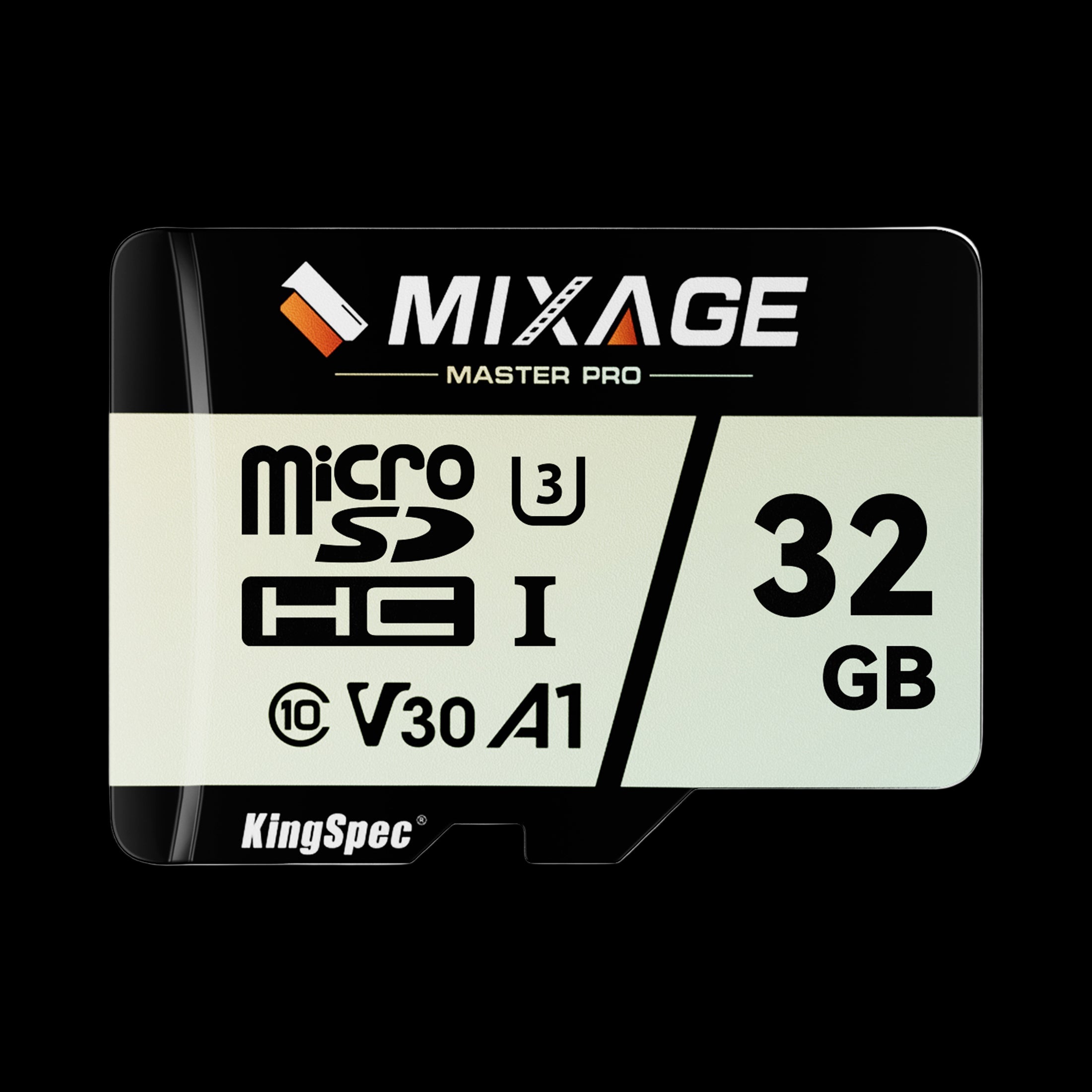
- Physical Size: MicroSD (15mm x 11mm x 1mm)
- Read Speed: Up to 175 MB/s
- Write Speed: Up to 110 MB/s
- Speed Class: UHS-I, U3, V30, A2
- Capacities: 64GB, 128GB, 256GB
- Use With: DJI, GoPro, smartphones, Switch, dashcams
- Warranty: 3 Years
The practical choice for all microSD devices. V30 guaranteed write speed handles standard 4K without dropped frames on DJI drones and action cameras. A2 app performance rating makes it equally capable for running apps directly from the card in Android phones. Works in SD slots via included adapter.
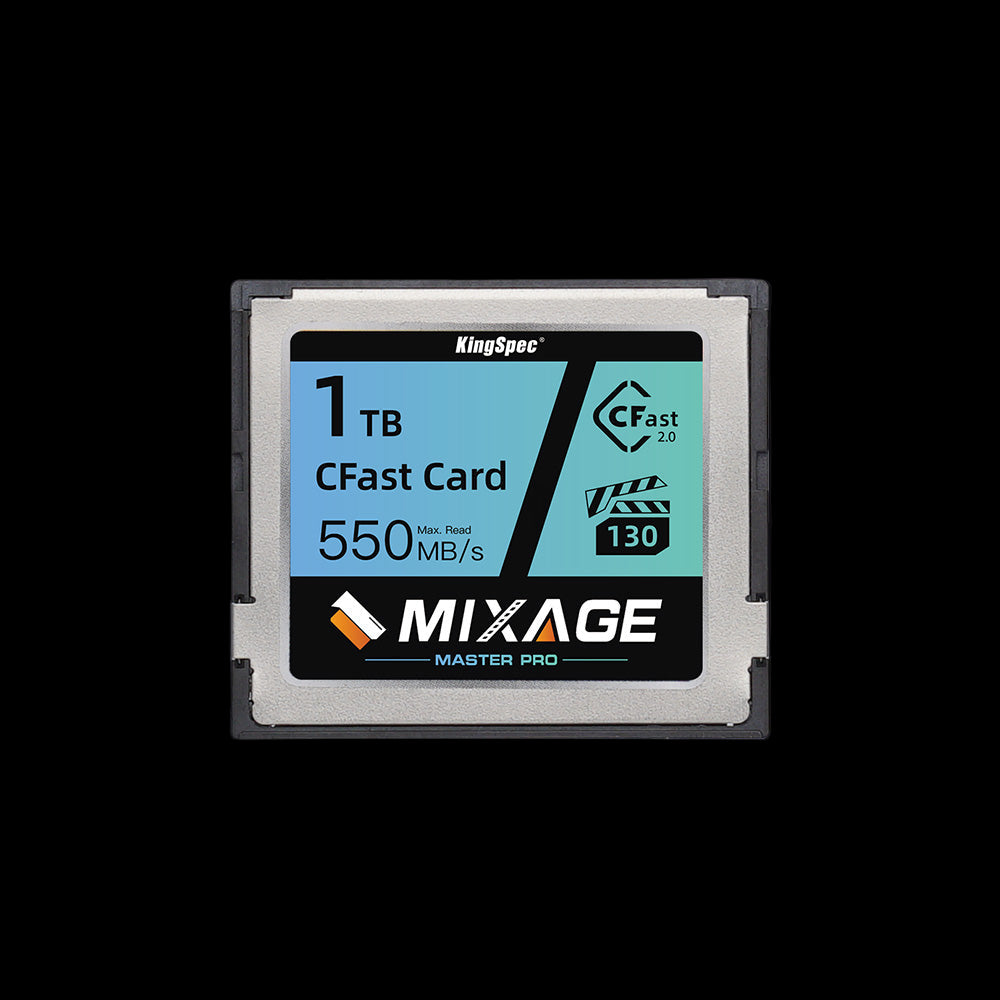
- Interface: CFast 2.0 (SATA III)
- Read Speed: Up to 550 MB/s
- Write Speed: Up to 530 MB/s
- Form Factor: CFast (standard)
- Use With: Cinema cameras, high-end video bodies with CFast slots
- NAND: 3D NAND flash
- Warranty: 3 Years
For professional cinema camera bodies that use CFast slots rather than SD or microSD. Delivers up to 550 MB/s read and 530 MB/s write for ultra-high-bitrate video production workflows. When your camera's slot type goes beyond SD altogether, the CFast card is the professional-grade answer.
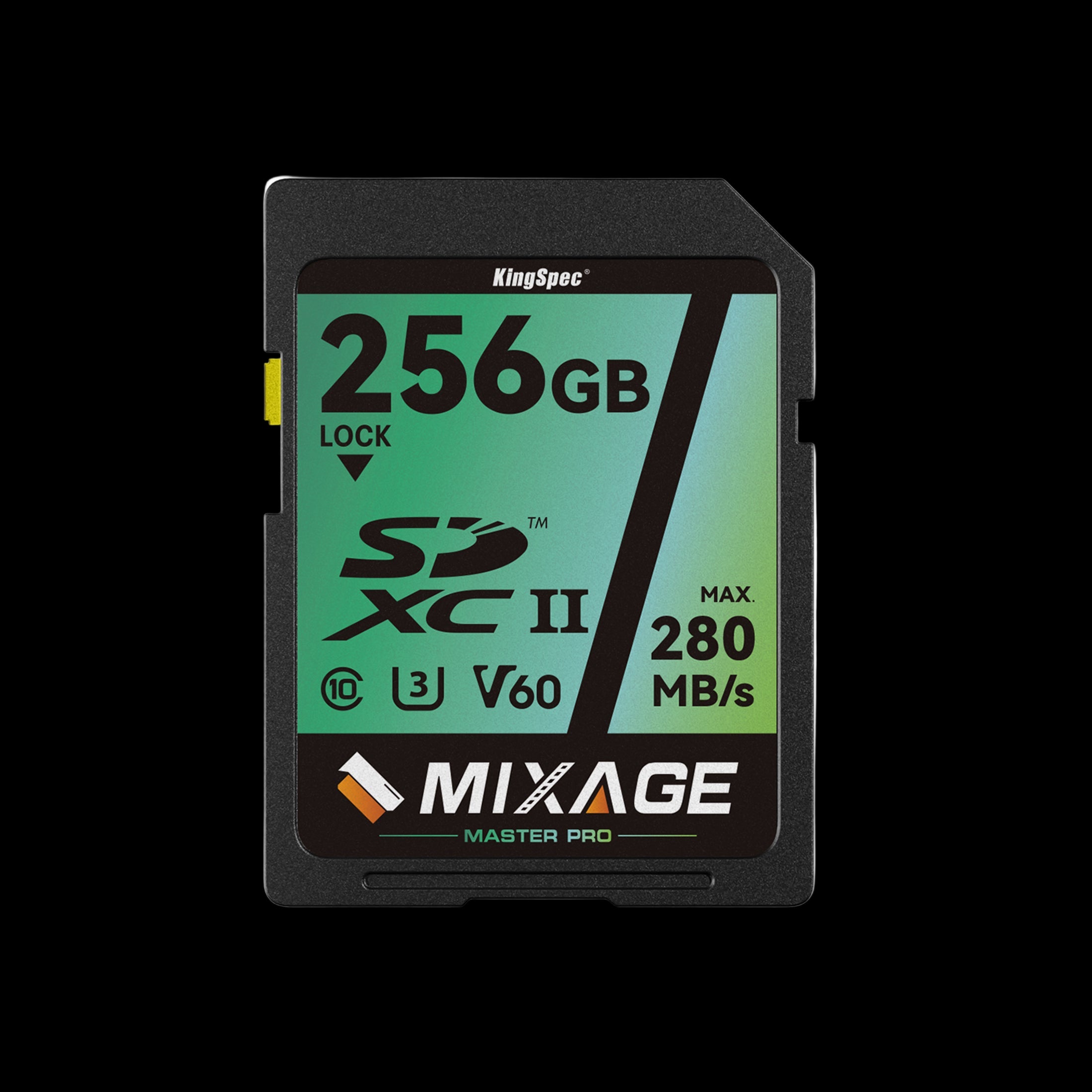
- Physical Size: Standard SD (32mm x 24mm x 2.1mm)
- Read Speed: Up to 280 MB/s
- Write Speed: Up to 180 MB/s
- Speed Class: UHS-II, U3, V60
- Capacities: 64GB, 128GB, 256GB
- Requires: UHS-II camera slot for full speed
- Warranty: 3 Years
Purpose-built for photographers and videographers with UHS-II mirrorless or DSLR bodies. The 60 MB/s minimum sustained write covers 4K high frame rate, 6K, and simultaneous RAW plus video recording that exceeds V30 capacity. Backward compatible with UHS-I devices at UHS-I speeds.
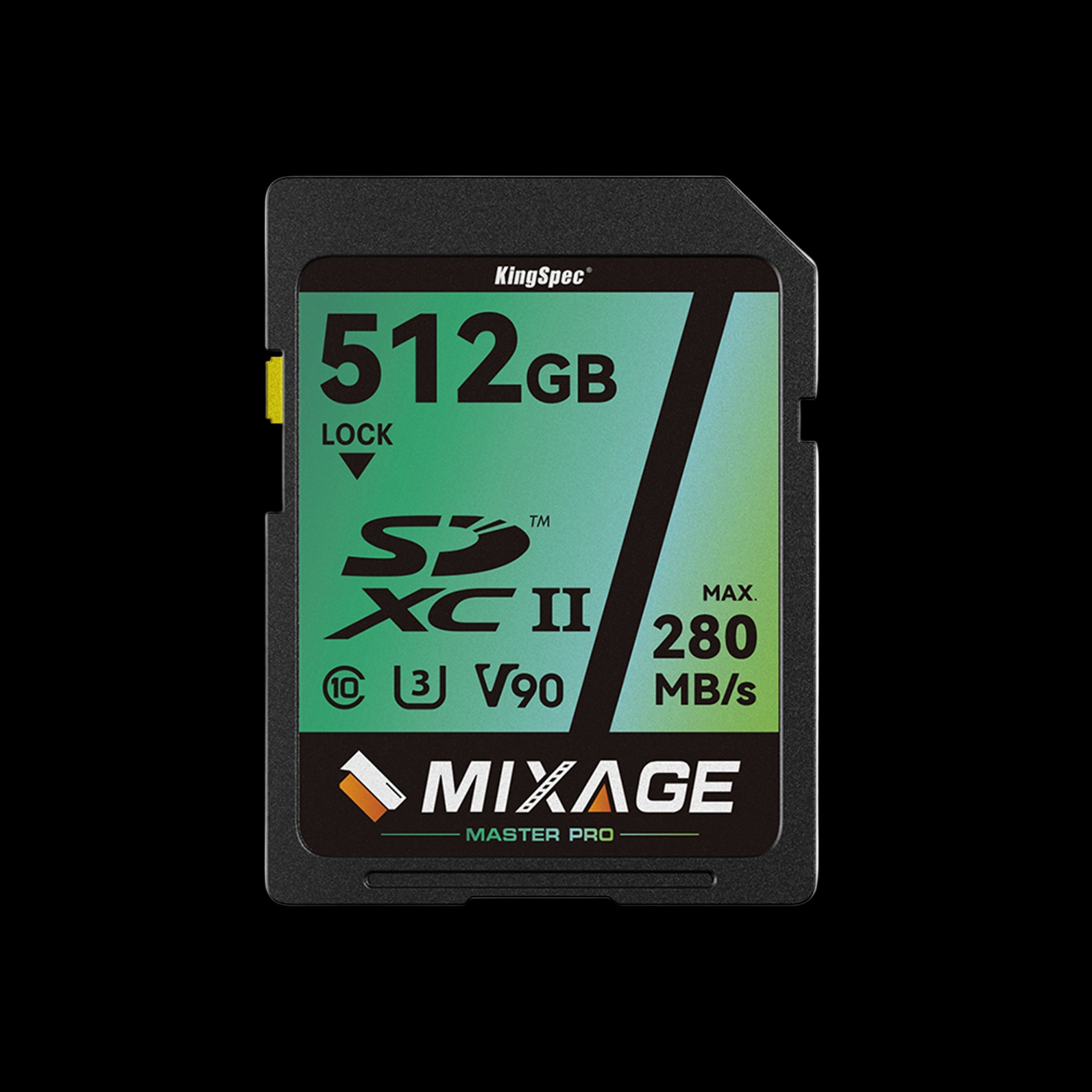
- Physical Size: Standard SD (32mm x 24mm x 2.1mm)
- Read Speed: Up to 300 MB/s
- Write Speed: Up to 260 MB/s
- Speed Class: UHS-II, U3, V90
- Capacities: 64GB, 128GB, 256GB
- Requires: UHS-II camera slot for full speed
- Warranty: 3 Years
The highest-rated SD card in the KingSpec lineup. The 90 MB/s minimum sustained write handles 8K RAW video, cinema-grade high-bitrate recording, and the most demanding professional single-card workflows. The flagship standard SD card for shooters using top-tier UHS-II mirrorless or cinema bodies.
When Memory Cards Are Not Enough: Upgrading to SSD Storage
For users whose storage needs have outgrown what a memory card can offer in terms of capacity, speed, or long-term reliability, an internal or external SSD is the next step.
Gamers using handhelds like the ROG Ally, content creators managing large archives, and professionals needing fast shared team storage all benefit from pairing memory cards with a faster, larger SSD layer. To understand when an SSD upgrade makes more sense than a higher-capacity card, see: SSD vs HDD: Why It Is Time to Make the Switch.
Conclusion
The strengths and weaknesses of microSD vs SD cards come down to one central trade-off: portability and versatility versus ease of handling and UHS-II speed availability. MicroSD is the right call for any compact device, phones, drones, action cameras, and gaming handhelds. Standard SD is the right call for professional cameras, recording equipment, and laptops where larger slots are built in and faster UHS-II interfaces are available.
Neither format is universally better. The best card is the one that physically fits your slot and meets the sustained write speed your workload requires.
KingSpec's Mixage lineup covers microSD (V30) for compact devices and full-size SD (V60, V90) for professional camera workflows, all with 3D NAND reliability and a 3-year warranty.
For users who also need to expand internal storage beyond what a memory card slot offers, explore KingSpec's portable SSD collection for fast, high-capacity external drives.
Browse Related Collections
Frequently Asked Questions
What are the strengths of a microSD card over a standard SD card?
MicroSD cards are far more versatile across device types. They fit smartphones, tablets, drones, action cameras, handheld gaming systems, and dashcams, and they also work in full-size SD slots via a passive adapter. This means a single microSD card can move between a DJI drone, a GoPro, a Nintendo Switch, and a laptop card reader without any issues. Their compact size also allows the devices they go in to remain slim and portable.
What are the weaknesses of a microSD card?
The main weaknesses of microSD cards are their small size and limited availability in the highest speed classes. At 15mm x 11mm, they are very easy to drop or lose, especially during card swaps. V60 and V90 microSD cards exist but are rarer and more expensive than equivalent full-size SD versions. For professional UHS-II camera workflows requiring high sustained write speeds, full-size SD is the more practical and widely supported choice.
Can a microSD card replace an SD card?
Yes, in most cases. A microSD card in a passive SD adapter works in any full-size SD slot at full card speed, with no performance penalty. The adapter adds no signal processing. However, you cannot go the other way: a standard SD card cannot physically fit in a microSD slot. If you need one card for both a camera with a full-size SD slot and a phone with a microSD slot, buy a microSD card and use the adapter in the camera.
Does SD card size affect speed?
No. Physical size (standard SD vs microSD) does not determine speed. Speed is determined by the card's speed class rating (V30, V60, V90) and the interface it supports (UHS-I or UHS-II). A V30 microSD and a V30 SD card guarantee the same 30 MB/s minimum sustained write speed. The main practical difference is that V60 and V90 cards are more commonly available and less expensive in the full-size SD format, because most UHS-II professional cameras use standard SD slots.
Which SD card format is better for cameras?
For professional cameras, standard full-size SD is generally better. Most DSLR and mirrorless camera bodies with UHS-II slots use full-size SD, making V60 and V90 rated SD cards the appropriate choice for high-bitrate 4K and 8K recording. For action cameras, drones, and compact camera systems with microSD slots, a high-quality V30 or better microSD card is the right choice. Always check your camera body's slot type first, as this determines the physical format regardless of the speed class you choose.
What capacity SD or microSD card should I buy?
For most users, 128GB hits the sweet spot of price and storage for photos, apps, videos, and offline content. If you shoot a lot of 4K video or manage large RAW photo libraries, 256GB gives you more room between transfers. For professional workflows with extended shoots, 512GB or larger reduces how often you need to stop and offload files. Always check your device's maximum supported card capacity before purchasing, as some older cameras and phones cap out at 128GB or 256GB even if a larger card physically fits the slot.

