
Running out of space on your PlayStation 5 happens fast, especially with modern games taking up hundreds of gigabytes.
A PS5 compatible SSD is the most effective way to expand storage without slowing down your console or changing how games feel. Choosing the right one can seem confusing because not all SSDs work with the PS5.
Read on to understand exactly what matters, what to avoid, and how to pick the best option for your gaming style.
What Is a PS5 Compatible SSD?
A PS5 compatible SSD is a storage drive that meets Sony’s specific performance and size requirements so it can run games smoothly. It installs inside the PS5 and works almost like the built-in storage.
This type of SSD lets you store and play PS5 games directly without moving files back and forth. When the SSD meets the required speed and cooling standards, games load fast and play just like they do on the original storage.
What Type of SSD Is Compatible With PS5?

The PS5 only supports a specific kind of internal SSD, so choosing the right type is critical. Understanding these basics helps you avoid buying something that will not work.
A PS5 compatible SSD must be:
- M.2 NVMe format designed for internal expansion
- PCIe Gen 4 capable for high speed data transfer
- Sized correctly to fit the PS5 expansion slot
-
Equipped with proper cooling, either built in or added
Older SATA SSDs and slower PCIe Gen 3 drives are not supported. Even if they physically fit, they cannot keep up with the speed required for PS5 games.
Official PS5 SSD Requirements You Must Meet
Sony has clear guidelines for what qualifies as a PS5 compatible SSD. Following these rules ensures smooth gameplay and long term reliability.
The minimum requirements include:
- Sequential read speeds of at least 5,500 MB per second
- PCIe Gen 4 interface
- M.2 form factor with supported dimensions
- Effective heat control to prevent throttling
If an SSD does not meet these standards, the PS5 may warn you during setup or limit performance. In some cases, the console may not allow the SSD to be used for PS5 games at all.
Is There an Official SSD for PS5?
Sony does not sell a single official SSD made only for the PS5. Instead, Sony allows third party SSDs as long as they meet the published requirements.
Some SSDs are marketed as PS5 ready or PS5 compatible, which means they have been tested to meet Sony’s standards. Licensed labeling can be helpful, but it is not required as long as the specs are correct.
Best PS5 Compatible SSDs Right Now By Use Case
Different players have different needs, so the best PS5 compatible SSD depends on how you use your console. Storage size, speed, and value all play a role in choosing the right drive.
Below are two solid options from KingSpec that meet PS5 requirements and fit common gaming needs.
KingSpec also offers gaming storage, internal storage, external storage, and memory solutions that pair well with modern consoles.
KingSpec XG7000 PCIe 4.0 NVMe M.2 SSD
The KingSpec XG7000 is designed for gamers who want top tier performance from their PS5 compatible SSD. It delivers fast read speeds that match Sony’s recommendations and supports smooth loading for large, demanding games.

Key reasons to consider this SSD:
- High speed PCIe Gen 4 performance for quick load times
- Designed to handle modern game sizes and textures
- Ideal for players who keep many games installed at once
This SSD is a strong choice for serious gamers who want consistent performance and minimal loading delays.
KingSpec X400 Series PCIe 4.0 NVMe M.2 SSD
The KingSpec X400 Series focuses on balanced performance and value. It meets PS5 compatible SSD requirements while offering dependable speed for everyday gaming.
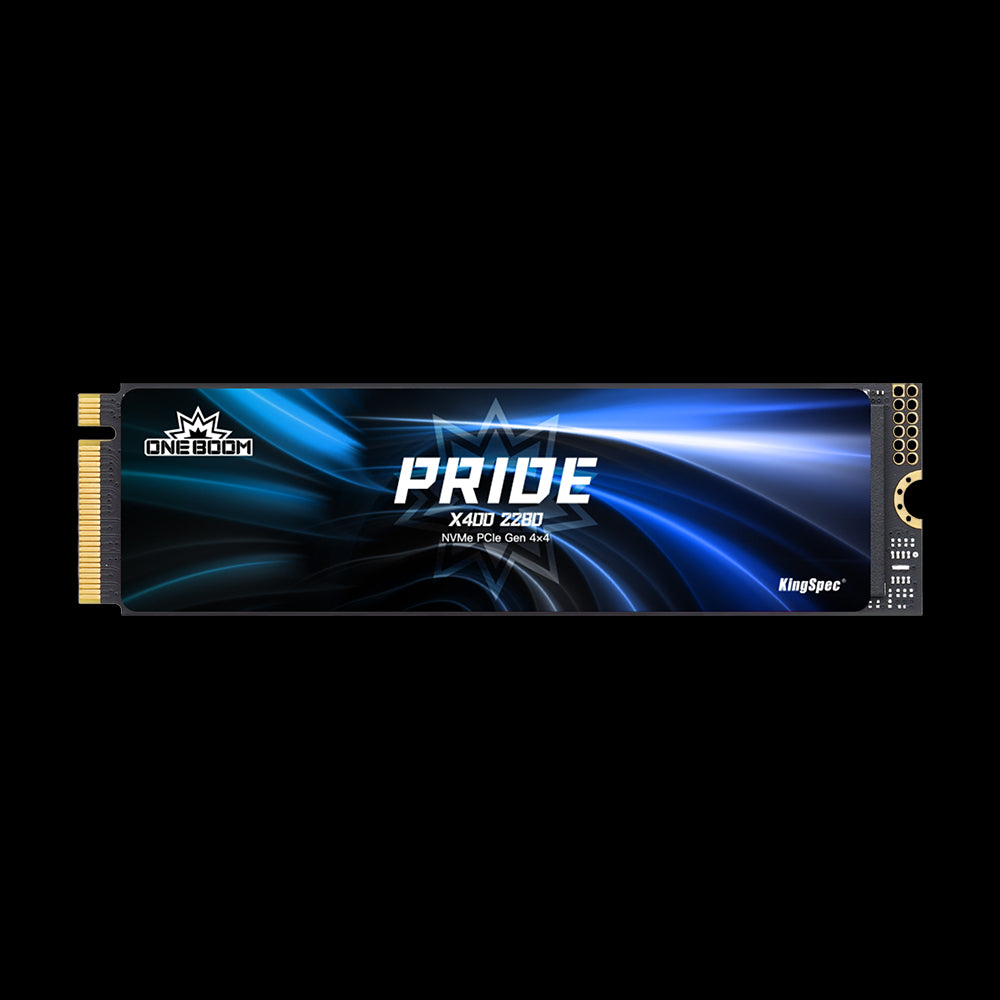
Why this SSD works well:
- Meets PS5 speed and compatibility standards
- Good option for expanding storage without overspending
- Suitable for casual and regular PS5 players
This model fits players who want more space for games while keeping performance smooth and stable.
How to Choose the Best PS5 Compatible SSD
Picking the right PS5 compatible SSD comes down to a few simple checks. Focusing on these points makes the decision much easier.
When choosing an SSD, consider:
- Speed that meets or exceeds 5,500 MB per second
- Storage size based on how many games you install
- Built in or supported heatsink for proper cooling
- Overall value and long term reliability
📌 Choosing the right PS5 compatible SSD also means thinking about how long it will last. Don’t forget to check out the article SSD Lifespan: How Long Does an SSD Really Last? to discover what affects SSD durability and how to keep your storage healthy for years.
Avoid focusing only on brand names or marketing labels. The technical requirements matter more than anything else when it comes to PS5 compatibility.
How to Install a PS5 Compatible SSD
Installing a PS5 compatible SSD is easier than many people expect. Sony designed the process to be simple and safe.
Basic steps include:
- Powering off and unplugging the PS5
- Opening the expansion slot cover
- Securing the SSD with the included screw
- Formatting the SSD through the PS5 system menu
Once installed, the PS5 will automatically test the SSD speed and confirm compatibility before use.
PS5 SSD Cooling and Console Placement

Heat management is important for any PS5 compatible SSD. Good airflow helps maintain stable performance during long gaming sessions.
Console placement also matters:
- Horizontal placement often provides more even airflow
- Vertical placement can still work if the area is well ventilated
-
Avoid placing the PS5 in enclosed spaces
📌 Cooling plays a big role in how well a PS5 compatible SSD performs during long gaming sessions. Browse the article Is an SSD With a Heatsink Worth It? to learn why heatsinks matter and how they help protect your storage over time.
Keeping the console cool helps both the internal storage and the added SSD last longer.
Common PS5 Compatible SSD Mistakes to Avoid
Many buyers run into problems by overlooking basic details. Avoiding these mistakes saves time and money.
Common issues include:
- Buying an SSD without checking PCIe Gen 4 support
- Ignoring heatsink requirements
- Choosing storage sizes that fill up too quickly
Double checking specs before buying prevents most compatibility problems.
Conclusion
A PS5 compatible SSD is one of the best upgrades you can make if storage space is running low. By choosing the right type, meeting Sony’s requirements, and installing it correctly, you can enjoy faster load times and more room for games.
For more helpful guides, gaming tips, and insights into storage and recreational tech, check out KingSpec.
KingSpec also offers reliable products like SSDs, DDR RAM, memory cards, gaming storage, internal storage, external storage, and more, designed to support modern gaming needs.
FAQs About PS5 Compatible SSD
Can you put NVMe on the PS5?
Yes, the PS5 is designed to work with NVMe SSDs that meet its requirements. The drive must be an M.2 NVMe model with PCIe Gen 4 support. Slower NVMe drives may not perform correctly. The console will test the drive after installation.
What is the biggest SSD you can put in a PS5?
The PS5 supports very large internal SSD capacities within Sony’s size guidelines. The exact maximum can vary based on the model and physical dimensions. Larger drives are useful for players with big game libraries. Always confirm the SSD size fits the expansion slot.
Will a PS5 compatible SSD make your PS5 faster?
A PS5 compatible SSD improves load times and file transfers. It does not increase frame rates or visual quality. Games will feel smoother when loading levels and fast traveling. Overall performance remains consistent with the PS5 design.
Is it better to put the PS5 vertical or horizontal?
Both positions work when airflow is good. Horizontal placement often provides more stable airflow. Vertical placement saves space but needs proper ventilation. Keep the console away from heat sources.
Is the PS5 actually 120 fps?
Some PS5 games support up to 120 frames per second. This depends on the game and the display being used. An SSD does not affect frame rate. The feature is tied to the game and hardware settings.

