
If you are upgrading a laptop, it is easy to overpay for memory. Many buyers ask how much DDR5 RAM should cost for 8GB in a laptop, especially now that DDR5 is standard on newer systems.
Prices vary widely depending on speed and availability. This guide breaks down the fair price range for 8GB DDR5 laptop RAM in 2025, explains why prices differ, and helps you avoid paying more than you should.
Quick Answer: How Much Should 8GB DDR5 Laptop RAM Cost?
- You should pay between $25 USD and $45 USD (approx. ₱1,500 – ₱2,600 PHP) for a single 8GB DDR5 laptop stick.
- 5600MHz modules currently offer the best balance of price and compatibility.
- Almost all 8GB DDR5 sticks use a "x16" chip layout, which is slower than 16GB sticks.
- Buying Tip: If your budget allows, a 16GB stick (approx. $50-$60) often provides much better value per dollar than an 8GB stick.
DDR4 RAM You May Want to Shop
Explore More


Current Price Breakdown: What is a Fair Price?
Prices for DDR5 memory have stabilized since the technology launched, but they are slowly creeping up again due to high demand for AI chips. Here is what you should expect to pay based on speed.
Entry Level: 4800MHz ($25 - $30)
This is the baseline speed for the first generation of DDR5 laptops (Intel 12th Gen / Ryzen 6000).
- Verdict: Only buy this if your laptop cannot run faster speeds or if it is significantly cheaper than faster options.
- Fair Price: Do not pay more than $30 for this.
The Standard: 5200MHz - 5600MHz ($30 - $45)
Most modern laptops (Intel 13th/14th Gen, Core Ultra, and Ryzen 7000/8000) use these speeds.
- Verdict: This is the standard. Even if your laptop currently runs at 4800MHz, buying a 5600MHz stick is smart because it can downclock to match your system, giving you future-proofing.
- Fair Price: $35 is a great deal; $45 is typical retail pricing.
Premium Gaming Modules ($45+)
You will see brands like G.Skill or Kingston Fury selling "Gaming" SODIMM kits with lower latency (CL38 or CL40).
- Verdict: For an 8GB stick, the premium price is rarely worth it. The performance gains are negligible compared to simply buying more RAM (like 16GB).
🔗Read Related Article: How Long SSD Lifespan Typically Lasts?
The "Hidden" Performance Cost of 8GB DDR5
This is the expert insight that most product pages won't tell you.
When asking how much DDR5 RAM should cost for an 8GB laptop, you need to specify the type of 8GB stick you are buying. In the DDR5 world, not all gigabytes are created equal.
The x16 vs. x8 Problem
Modern memory chips have become very dense (16Gbit or 24Gbit). To make a small 8GB stick, manufacturers only need 4 chips. This forces them into a configuration called "x16" (1Rx16).
- 1Rx16 (Common in 8GB): Has half the number of bank groups. It can process fewer data requests simultaneously.
- 1Rx8 (Common in 16GB+): Has double the bank groups. It is significantly faster in gaming and heavy workloads.
The Bottom Line: An 8GB stick is almost always an "x16" stick. It is inherently slower than a 16GB stick. If you are upgrading for gaming, saving $20 to get an 8GB stick might cost you 10-15% of your frame rates compared to buying a 16GB module.
🔗Read Related Article: How to Pick the Best DDR4 RAM for Gaming in 2025
Is Buying 8GB Worth It? (Cost vs. Value)
Should you spend $30 on 8GB, or stretch your budget?
The Value Calculation
- 8GB Cost: ~$35
- 16GB Cost: ~$55
For just ~$20 more, you get double the capacity and usually a faster (x8) chip configuration.
When 8GB is Enough
- Office Work: If you just need to have multiple Chrome tabs and Excel open.
- Dual Channel Activation: If your laptop has one 8GB stick soldered and an empty slot, adding an 8GB stick (total 16GB) is a massive performance boost because it activates "Dual Channel" mode.
When to Skip 8GB
- Gaming: 16GB total is the bare minimum for modern games. 32GB is the new safe spot.
- Content Creation: Video editing swallows RAM. An 8GB upgrade will feel like a band-aid.
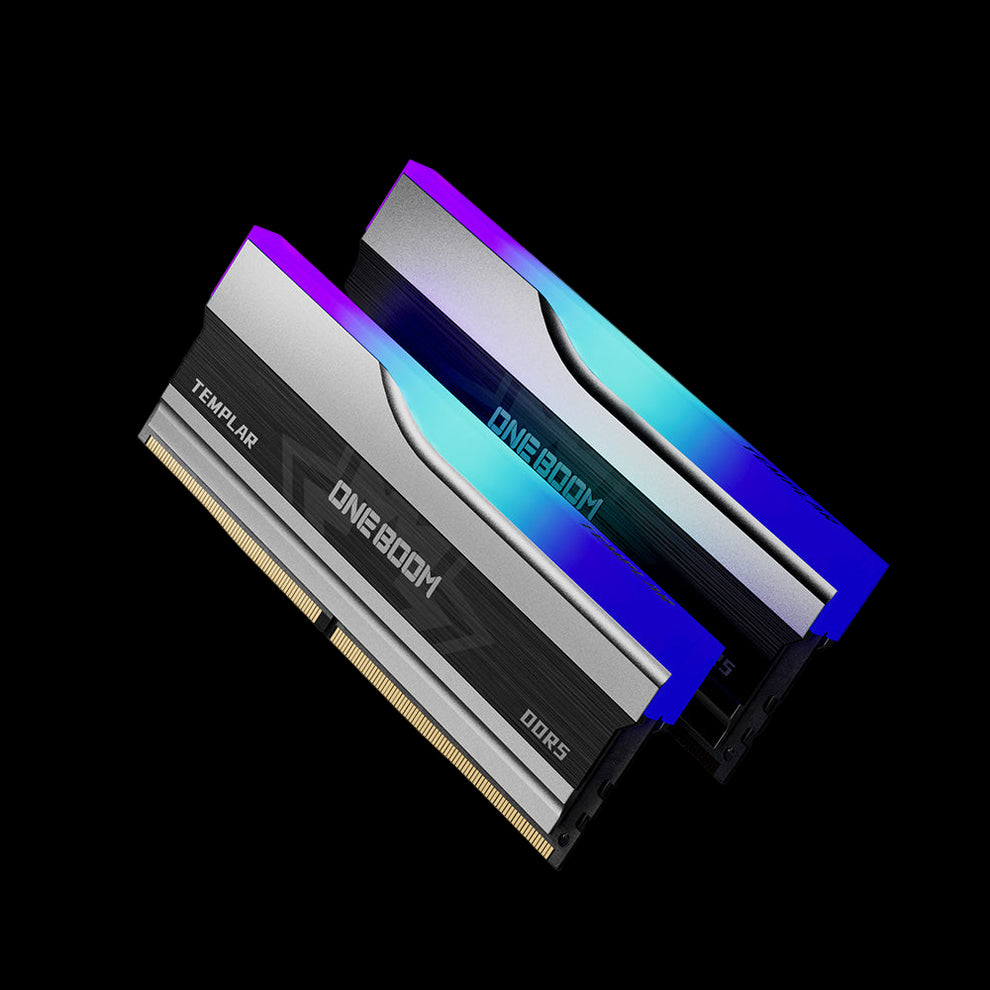
High-Performance DDR5 RGB Memory
- High-speed DDR5 designed for elite gaming and productivity
- Fully customizable RGB lighting with vibrant effects
- Aluminum heatsink for efficient thermal control
- Low power consumption with improved energy efficiency
- Broad compatibility with the latest Intel and AMD platforms
Compatibility Checks Before You Buy
Before you click "Buy," check these three things to ensure you don't waste your money.
1. DDR4 vs. DDR5 Slots
You cannot fit DDR5 RAM into a DDR4 slot. They are physically different.
- Check your Task Manager (Performance > Memory) to confirm your current RAM type.
2. Mixing Speeds
If your laptop has a soldered 4800MHz stick and you buy a 5600MHz 8GB stick, your system will slow the new stick down to 4800MHz. You are limited by the slowest link in the chain.
- Tip: Don't overpay for 5600MHz if your soldered RAM is slower.
3. Mixing Sizes (Flex Mode)
"Can I add 8GB to my 16GB laptop?" Yes! This gives you 24GB total.
- The first 16GB (8GB + 8GB) will run in fast Dual Channel mode.
- The remaining 8GB will run in Single Channel mode. This is called Flex Mode and works perfectly fine for most users.
🔗Read Related Article: Best DDR5 RAM Speed for the Latest Intel CPUs
Conclusion
So, how much should DDR5 RAM cost for an 8GB laptop? In 2025, a fair price is $30 to $40 USD. If you see listings above $50 for a single 8GB stick, walk away—it’s overpriced.
However, if your budget allows, we strongly recommend skipping the 8GB stick and buying a 16GB module instead. You get better long-term value, higher resale value, and typically faster performance due to chip architecture.
Ready to speed up your laptop?
- Find Compatible Memory: Check Out KingSpec DDR5 RAM Collections
- Pair it with Fast Storage: Explore KingSpec Internal SSDs
- Backup Your Old Data: View External SSD Solutions
FAQs About 8GB DDR5 Laptop RAM Cost
Can I put DDR5 RAM in a DDR4 laptop?
No. DDR5 and DDR4 have different notch positions on the connector. They are physically incompatible. You must buy the type that matches your motherboard.
Is it better to have 2x 8GB or 1x 16GB? 2x 8GB is better.
Having two sticks activates "Dual Channel" mode, which doubles the communication bandwidth between your CPU and memory. A single 16GB stick runs in "Single Channel," which can reduce gaming FPS by up to 20-30%.
Why is some 8GB DDR5 RAM cheaper than others?
Cheaper RAM usually has higher "CAS Latency" (e.g., CL46 vs. CL40) or uses lower-grade components. However, for an 8GB laptop upgrade, the cheapest branded stick (Crucial, Kingston, KingSpec, Samsung) is usually fine. Avoid unbranded generics.
Does 4800 MHz vs. 5600 MHz matter for 8GB?
For general office work? No, you won't notice the difference. For gaming using integrated graphics (like Ryzen APUs)? Yes, faster MHz makes a huge difference for graphics performance.

