

Quick Answer: Choose a wide temperature SSD by matching the exact operating range, form factor, interface, workload, endurance, power protection, and environmental ratings to your system. Verify the range on the exact SKU datasheet, then qualify the drive in representative hardware at both temperature limits before deployment.
A wide temperature SSD is built for systems that may start, operate, or shut down in heat or cold beyond a typical indoor environment. The label alone is not enough.
This wide temperature SSD buying guide explains how to turn real operating conditions into a reliable storage specification.
Key Takeaways
- Define the required operating and storage ranges before comparing products.
- Check the temperature rating on the exact part number, not only the series page.
- Include startup, sustained writes, enclosure heat, shock, vibration, humidity, and power quality in the decision.
- Match the interface and form factor to the host before considering performance.
- Run hot, cold, power-cycle, and data-integrity tests in representative hardware.
What Is a Wide Temperature SSD?
A wide temperature SSD is designed and specified to operate across a broader temperature range than ordinary client storage. A common industrial range is -40°C to 85°C, but the exact limits vary by manufacturer, product family, capacity, component selection, and order code.
Operating temperature tells you when the SSD is designed to function. Storage temperature describes the range in which an unpowered drive can be stored.
These values are not interchangeable. For example, KingSpec lists operating options of -20°C to 70°C and -40°C to 85°C, plus a storage range of -55°C to 95°C, for its official YSS600T industrial SATA SSD.
Important: Temperature capability is a complete-drive specification. NAND flash alone does not establish whether the controller, DRAM, power components, solder joints, and firmware will behave correctly across the same range.
When Do You Need Wide Temperature Storage?

Wide temperature storage is worth considering when the installed system can move outside the SSD's standard operating limits. Typical applications include:
- Factory automation, robotics, and machine vision near heat-producing equipment
- Vehicle, rail, marine, and roadside systems exposed to cold starts and solar heating
- Outdoor surveillance and communications equipment inside sealed enclosures
- Edge computing and AIoT gateways installed away from climate-controlled rooms
- Embedded, aerospace, server, and specialist equipment with a defined environmental profile
A climate-controlled office PC usually does not need an industrial temperature grade. Buy for the conditions the drive will actually face, including credible faults such as a failed fan or temporary loss of enclosure cooling.
Start With the Real Thermal Requirement
Begin with measured or specified conditions at the SSD location. Outdoor air temperature is only one input. A sealed cabinet in direct sunlight may become much hotter inside, while sustained writes can add heat at the drive itself.
- Record the coldest powered startup. A system that is stored at -40°C and immediately started needs a different qualification plan from one warmed before boot.
- Record the hottest sustained condition. Include enclosure temperature, nearby processors, airflow, drive workload, and cooling faults.
- Separate operating and unpowered storage limits. Shipping or parked-equipment temperatures may exceed normal powered conditions.
- Add an engineering margin. Do not select a drive whose published limit exactly matches a frequently reached system temperature.
- Define how temperature changes. Rapid transitions and repeated cycles can matter even when both endpoints remain within the stated range.
Compare Temperature Grades Carefully

The terminology used for standard, extended, and industrial grades is not perfectly uniform. Treat the ranges below as selection examples, then confirm the datasheet for the exact model.
| Grade or Option | Example Range | Possible Use | Buying Check |
|---|---|---|---|
| Standard | Varies by product | Climate-controlled equipment | Confirm both minimum and maximum operating limits |
| Enhanced | -20°C to 70°C or 75°C on selected KingSpec industrial SKUs | Protected industrial systems with moderate cold exposure | Check the order code because the upper limit may differ by listing |
| Wide Industrial | -40°C to 85°C on selected KingSpec industrial SKUs | Outdoor, vehicle, automation, and remote systems | Verify that every required capacity and configuration carries this rating |
| Storage | -55°C to 95°C on YSS600T and YSS600E | Unpowered transport or storage | Never use a storage rating as an operating rating |
Swipe horizontally to see the full table.
Check Form Factor and Interface First
A thermally suitable drive is still unusable if it does not fit or communicate with the host. KingSpec's industrial storage range includes 2.5-inch SATA, mSATA, M.2 SATA 2242, M.2 PCIe, PATA, SATA DOM, USB DOM, and CFast options.
- Physical format: Confirm dimensions, connector position, mounting points, and enclosure clearance.
- Interface: Match SATA, PCIe, PATA, USB, or another required bus to the host.
- Protocol and generation: For M.2 products, confirm whether the slot supports SATA or PCIe NVMe and which generation and lane count it provides.
- Power: Verify input voltage, peak consumption, startup behavior, and the quality of the host power supply.
- Capacity: Check that the required capacity is offered with the same temperature grade and feature set.
Match NAND and Endurance to the Workload
Temperature range and endurance answer different questions. Temperature rating describes the qualified environment. Endurance describes how much writing the drive is designed to handle under stated conditions.
Estimate daily writes, write amplification, retention needs, service life, and available spare capacity. A read-heavy boot drive has different needs from a surveillance recorder, database logger, or edge system that continuously writes sensor data. MLC, TLC, and other NAND types can serve different cost, capacity, and endurance targets, but the controller, firmware, over-provisioning, and workload also affect the result.
Request endurance figures for the exact capacity and workload model. If the deployment requires long retention at elevated temperature, make that requirement explicit during qualification.
Look Beyond the Temperature Number
| Feature | Why It Matters | What to Verify |
|---|---|---|
| Power-Loss Protection | Helps reduce corruption risk during an unexpected power interruption | Protection scope, hold-up behavior, and test method |
| ECC or LDPC | Detects and corrects bit errors within the controller's capability | Controller implementation and health reporting |
| Wear Leveling | Distributes writes across available flash | Endurance rating and behavior near end of life |
| SMART | Exposes health and usage information to the host | Available attributes, thresholds, and monitoring support |
| Shock and Vibration | Matters in vehicles, machinery, and mobile equipment | Test conditions, mounting method, and required margin |
| Humidity | Condensation and moisture can threaten electronics | Rated range and whether it requires non-condensing conditions |
Swipe horizontally to see the full table.
KingSpec lists LDPC, global wear leveling, bad-block management, SMART, TRIM, and power-loss protection for both YSS600T and YSS600E. It also publishes shock, vibration, humidity, and MTBF figures on those product pages. Compare the stated test conditions with your own system requirement instead of relying on the feature name alone.
Match the SSD to the Application
| Application | Main Storage Pattern | Selection Priorities |
|---|---|---|
| Automation Controller | Boot, application files, event logs | Cold boot, predictable latency, power interruption behavior, long availability |
| Surveillance Recorder | Long, continuous writes | Sustained write behavior, capacity, endurance, thermal control |
| Vehicle or Rail System | Boot, maps, telemetry, video | Wide temperature, shock, vibration, power quality, secure mounting |
| Edge AI or AIoT | Models, local database, captured data | Interface bandwidth, mixed workload, endurance, enclosure heat |
| Remote Outdoor System | Boot and intermittent logging | Cold startup, solar heating, recovery after power loss, health monitoring |
Swipe horizontally to see the full table.
How to Qualify a Wide Temperature SSD
A datasheet narrows the candidates. Qualification shows whether the chosen SSD, host, firmware, enclosure, power supply, and workload work together.
- Freeze the configuration. Record the exact SSD model, capacity, firmware, host board, BIOS, operating system, cables, and mounting method.
- Test cold startup and hot operation. Use representative hardware and allow the full assembly to reach the target condition.
- Run the real workload. Include sustained and mixed transfers, not only a short benchmark.
- Cycle power deliberately. Test normal shutdowns and the approved unexpected-loss procedure while checking data integrity.
- Repeat thermal cycles. Look for intermittent detection, link resets, performance changes, errors, and boot delays.
- Read health data. Capture SMART or vendor diagnostics before, during, and after testing.
- Verify written data. Use checksums or another defined method to detect silent corruption.
- Set acceptance limits. Document pass or fail criteria before the test begins.
For a repeatable performance baseline, see KingSpec's guide on how to benchmark SSD speed. Production monitoring should also follow a defined SSD health-check process.
Wide Temperature SSD Buying Checklist
- Exact minimum and maximum powered operating temperatures
- Required unpowered storage and shipping temperatures
- Cold-start and hot-restart requirements
- Form factor, connector, interface, protocol, and capacity
- Daily writes, service life, retention, and endurance requirement
- Power-loss behavior and host power quality
- Shock, vibration, humidity, and enclosure conditions
- SMART or diagnostic monitoring requirements
- Firmware control, lifecycle support, and change-notification needs
- Qualification plan using the final hardware and workload
Common Buying Mistakes
- Buying from the words “industrial” or “wide temperature” without checking the exact range
- Confusing storage temperature with operating temperature
- Checking ambient air but ignoring enclosure heat and SSD self-heating
- Assuming every capacity or order code has the same rating
- Choosing by peak read speed while ignoring sustained writes and endurance
- Skipping power-loss, cold-boot, and thermal-cycle testing
- Changing SSD firmware or components in production without requalification
Recommended KingSpec SSD Options
These products are available from the KingSpecTech store and cover SATA, PCIe 3.0, and PCIe 4.0 systems. Their pages list an operating range of 0°C to 70°C. They are suitable only when that range covers the finished system's conditions.
Wide-Temperature Warning: The products below are not substitutes for a verified -40°C to 85°C industrial SSD. For harsher conditions, request an exact wide-temperature SKU and datasheet from KingSpec before qualification.
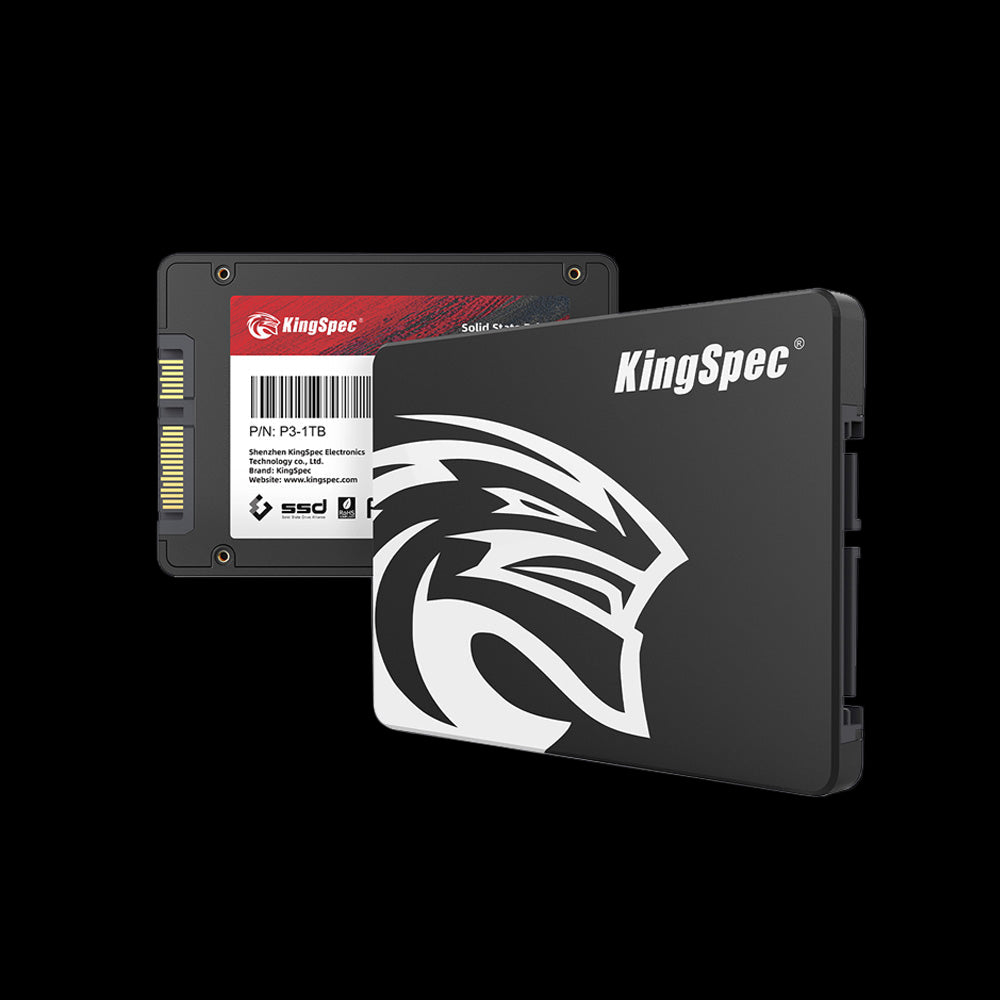
KingSpec P3 Series
A SATA III option for compatible desktops, laptops, embedded PCs, and systems that need a 2.5-inch drive. The product page lists up to 580 MB/s read speed and a 0°C to 70°C operating range.
View Product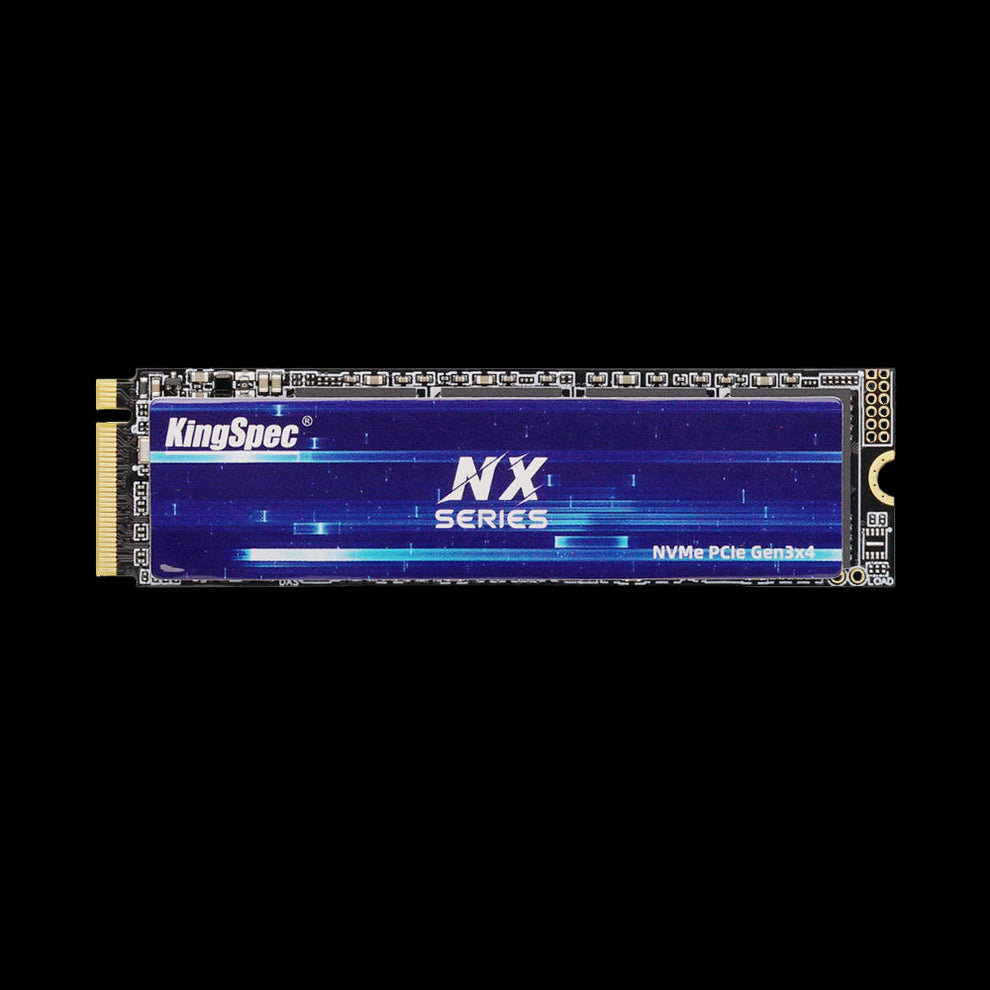
KingSpec NX Series
An M.2 2280 PCIe 3.0 x4 SSD for compatible systems. The product page lists read speeds up to 3,500 MB/s, capacities up to 2TB, and a 0°C to 70°C operating range.
View Product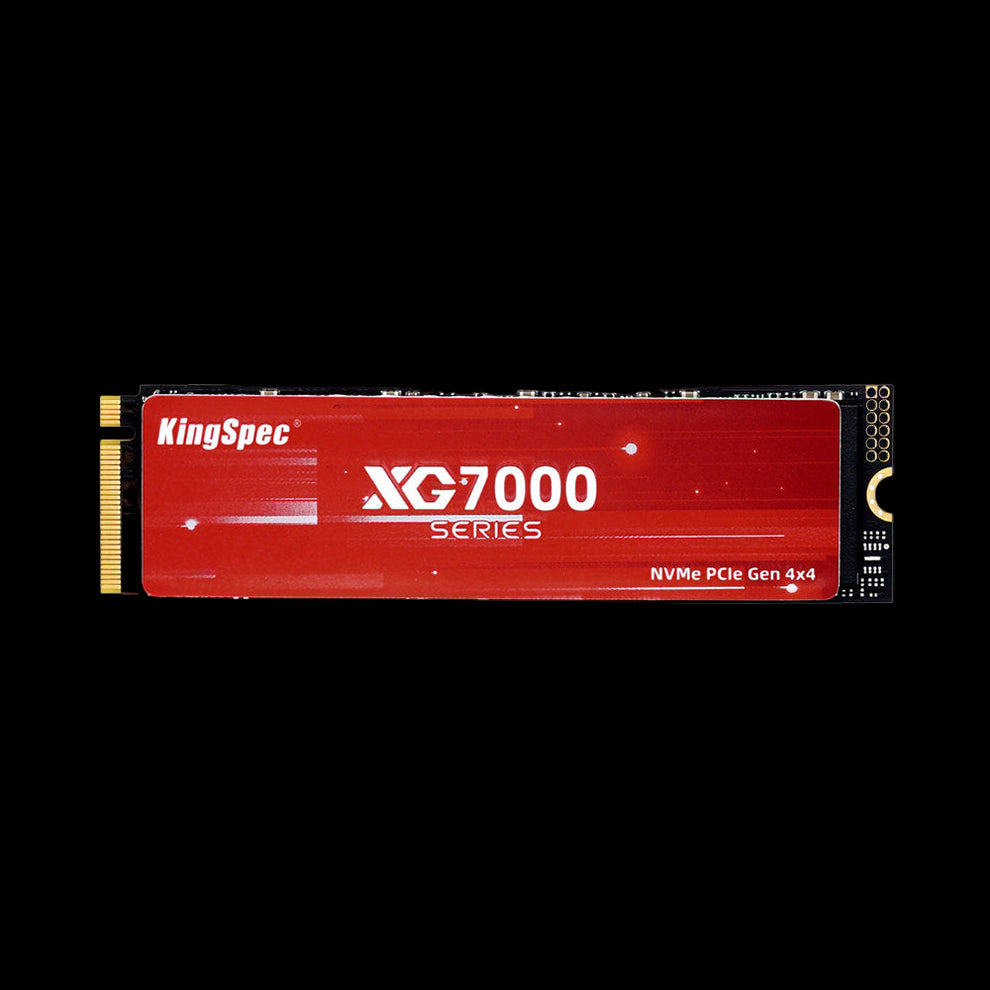
KingSpec XG7000
An M.2 2280 PCIe 4.0 x4 SSD for higher-bandwidth workloads. The product page lists read speeds up to 7,400 MB/s, capacities up to 8TB, and a 0°C to 70°C operating range.
View ProductFrequently Asked Questions
What temperature range is considered wide temperature for an SSD?
-40°C to 85°C is a common industrial example, but there is no single range that every seller applies in the same way. Use the exact minimum and maximum operating temperatures on the chosen SKU datasheet.
Is industrial temperature the same as storage temperature?
No. Operating temperature defines the range for a powered, functioning drive. Storage temperature describes an unpowered drive. A wider storage rating does not mean the SSD can operate at those limits.
Do I need a wide temperature SSD for an outdoor enclosure?
Possibly. Measure or model the temperature at the SSD, including sunlight, enclosure insulation, airflow, nearby components, workload heat, and credible cooling faults. Choose and qualify a range that covers the resulting powered conditions with margin.
Does a wide temperature rating guarantee data protection during power loss?
No. Temperature rating and power-loss behavior are separate requirements. Look for an appropriate power-loss protection design, then test it with the host, power supply, file system, and real workload.
Should I choose SATA or NVMe for an industrial system?
Choose the interface supported by the host and required by the workload. SATA may be sufficient for boot, control, and moderate logging. NVMe can provide more bandwidth for data-heavy edge, vision, or recording tasks, but may require additional thermal planning.
How should I test a wide temperature SSD before deployment?
Use the final or representative host to test cold starts, hot operation, thermal cycles, sustained workloads, controlled power interruptions, health reporting, and data integrity. Record the exact firmware and hardware configuration.
Final Takeaway
The best wide temperature SSD is not simply the one with the broadest number on its product page. It is the exact drive configuration that fits the host, covers real operating and storage conditions with margin, supports the write workload, tolerates the mechanical and power environment, and passes qualification in the finished system.
Start with measured requirements, compare verified specifications, and keep the approved model, capacity, and firmware under configuration control. For more form factors, explore KingSpec's storage products.
Keep Reading

