
Speed changes everything about how a computer feels. The fastest M.2 SSD cuts boot times to seconds, loads massive games before a loading screen fully renders, and moves large project files fast enough to stop interrupting your workflow. With PCIe 5.0 now available at consumer prices and PCIe 4.0 still delivering excellent real-world results, there has never been more choice at the top end of M.2 performance.

This guide breaks down what actually makes an M.2 SSD fast, compares PCIe generations with real numbers, and matches the right KingSpec drive to your specific build, whether you are gaming on a desktop, editing on a workstation, or upgrading a compact handheld device.
Key Takeaways
- The fastest M.2 SSD today uses PCIe 5.0 x4, reaching up to 14,000 MB/s sequential read
- PCIe 4.0 M.2 drives hit up to 7,400 MB/s and cover gaming and creative work for most users
- Speed requires three things to work together: PCIe generation, a powerful controller, and proper cooling
- Random IOPS (not just sequential speed) determines how snappy your system feels day-to-day
- Compact 2230 form factor drives bring Gen4 speed to laptops, the Steam Deck, and mini PCs
- KingSpec offers the fastest M.2 SSD options across Gen4 and Gen5 with built-in thermal solutions
What Makes the Fastest M.2 SSD Truly Fast?
Peak speed on a spec sheet is only part of the picture. A drive that claims 14,000 MB/s but throttles under sustained load, or one that has strong sequential numbers but weak random performance, will not feel as fast in real use. The fastest M.2 SSD balances four elements: PCIe generation, controller quality, NAND type, and thermal management. For a thorough breakdown of how the NVMe protocol drives these speeds, see: What Is NVMe SSD? The Ultimate Overview.
PCIe Generation and Bandwidth
The PCIe interface is the pipeline between your SSD and CPU. Each generation roughly doubles available bandwidth:
- PCIe 3.0 x4: up to about 3,500 MB/s sequential read
- PCIe 4.0 x4: up to about 7,400 MB/s sequential read
- PCIe 5.0 x4: up to about 14,000 MB/s sequential read under ideal conditions
Sequential Speed vs Random IOPS
Sequential speed determines how fast large, contiguous files move, video exports, game installs, and archive transfers. Random IOPS determines how snappy everything else feels: boot time, app launches, opening files, and OS multitasking. The fastest M.2 SSD for real-world use performs well in both, not just on sequential benchmarks. For a direct comparison of how these numbers translate to real tasks, see: SSD Read Speed Guide: How Fast Is Good Enough.
Controller, NAND, and Thermal Management
The controller manages how data is stored and retrieved. A high-quality controller maintains speed consistency under sustained workloads rather than bursting fast and then slowing down. TLC NAND is the preferred flash type for high-performance drives because it delivers better endurance and sustained write consistency than QLC. Thermal management completes the equation: PCIe 5.0 drives run hot under load. Without a heatsink or integrated cooling, they will throttle and lose speed temporarily to protect themselves. Both KingSpec Gen5 drives ship with built-in heatsinks specifically to prevent this.
Fastest M.2 SSD Speed Comparison: PCIe 3.0 vs 4.0 vs 5.0

| PCIe Generation | Max Sequential Read | Max Sequential Write | Best For | Platform Needed |
|---|---|---|---|---|
| PCIe 3.0 x4 | Up to 3,500 MB/s | Up to 3,000 MB/s | Budget builds, older systems, Steam Deck | Most systems since 2017 |
| PCIe 4.0 x4 | Up to 7,400 MB/s | Up to 6,600 MB/s | Gaming, creative work, most users | Intel 11th Gen+, AMD X570+ |
| PCIe 5.0 x4 | Up to 14,000 MB/s | Up to 13,000 MB/s | Workstations, AI/ML, 8K editing | Intel 12th Gen+, AMD AM5 |
PCIe 5.0 drives are backward compatible with Gen4 and Gen3 slots, but they will operate at the speed of the slot installed in, not at full Gen5 speeds. For a full breakdown of which generation suits different budgets and builds, see: PCIe 4.0 vs PCIe 5.0: Which Should You Buy?
Fastest M.2 SSD Picks: KingSpec Lineup by Use Case
The right fastest M.2 SSD depends on your platform, form factor, and workload. KingSpec covers all four main scenarios with purpose-built drives.
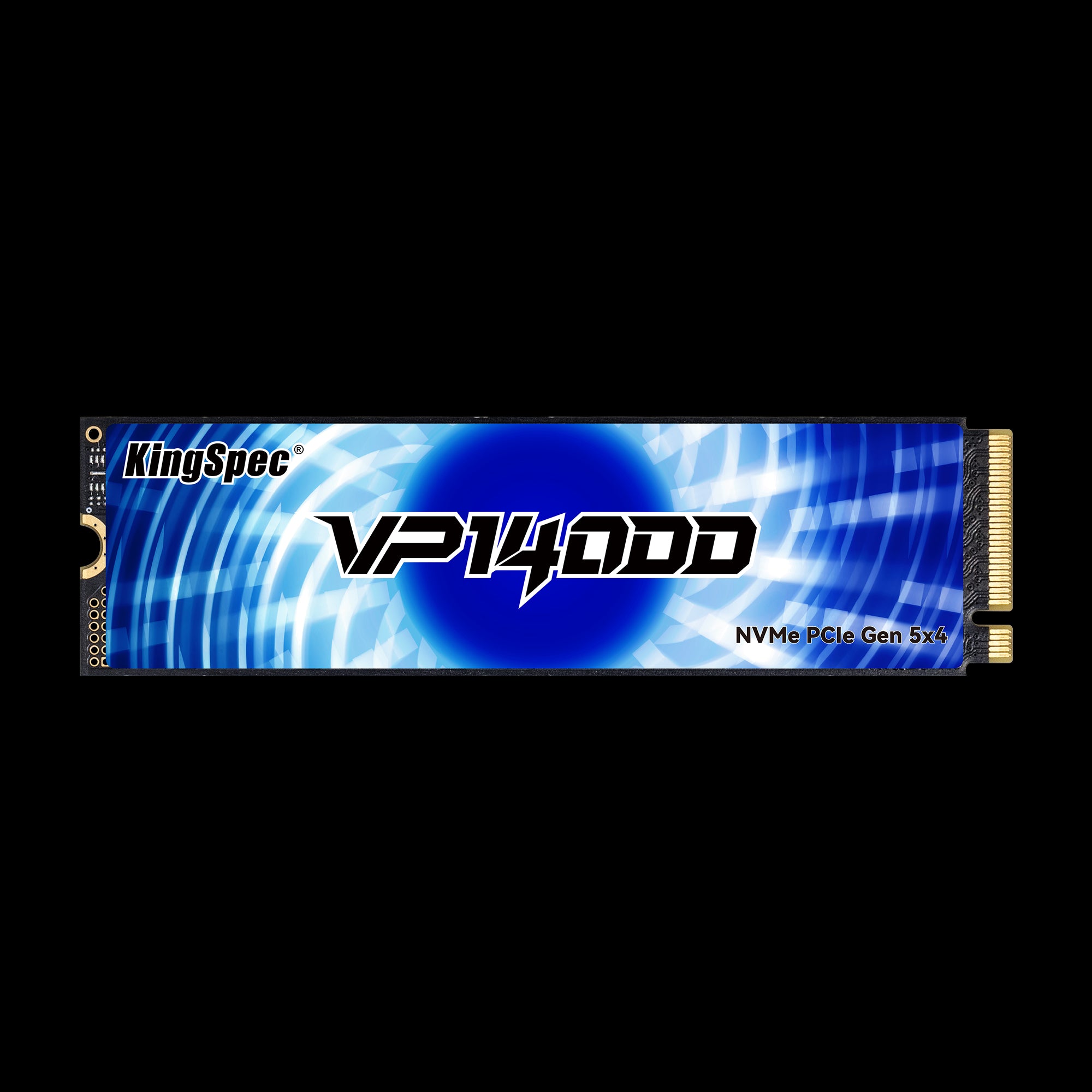
- Read: Up to 14,000 MB/s
- Write: Up to 13,000 MB/s
- Interface: PCIe Gen5 x4, NVMe 2.0
- Form Factor: M.2 2280
- Capacities: 1TB, 2TB, 4TB
- TBW: 600 / 1,200 / 2,400 TB
- Cooling: Built-in heatsink
- Warranty: 3 Years
Maximum available M.2 NVMe speed. Built-in heatsink prevents thermal throttling during sustained 8K video editing, AI/ML workloads, and large file transfers. The flagship choice for high-end desktops and workstations where nothing is faster.

- Read: Up to 14,000 MB/s
- Write: Up to 13,000 MB/s
- Interface: PCIe Gen5 x4, NVMe 2.0
- Form Factor: M.2 2280
- Capacities: 1TB, 2TB, 4TB
- Cache: Independent DRAM + SLC caching
- IOPS: 2,000K Read/Write
- Warranty: 3 Years
Same peak Gen5 speed as the VP14000 with an added independent DRAM cache for 2,000K IOPS random performance. Strong choice for DirectStorage-ready gaming systems and professional creators who want Gen5 throughput with DRAM-backed consistency.
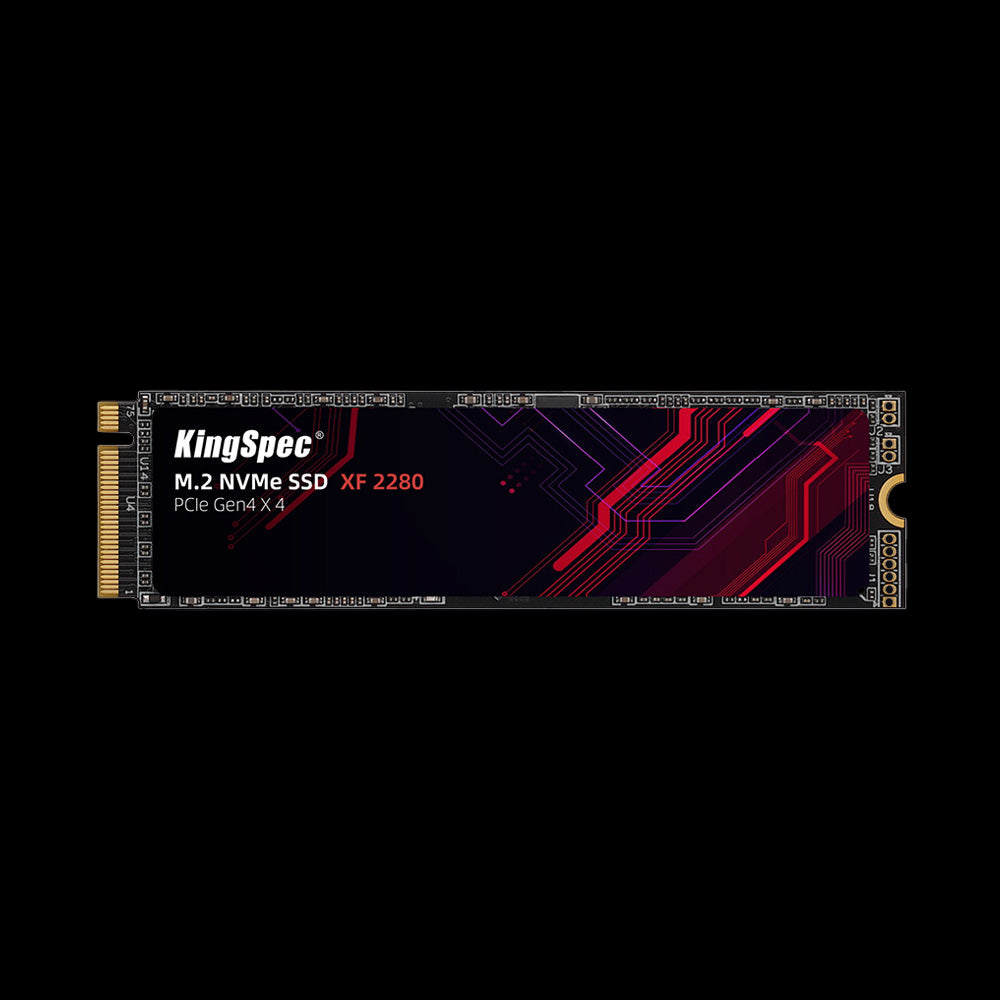
- Read: Up to 5,100 MB/s
- Write: Up to 4,600 MB/s
- Interface: PCIe Gen4 x4, NVMe
- Form Factor: M.2 2280
- Capacities: 512GB, 1TB, 2TB
- Cooling: Ultra-thin graphene heatsink label
- Compatibility: PS5, laptops, desktops
- Warranty: 3 Years
The fast, practical Gen4 upgrade for most gamers and creators. Compatible with PS5, modern gaming laptops, and any Intel 11th Gen or AMD X570 and above motherboard. Graphene thermal label keeps temperatures stable without adding bulk.
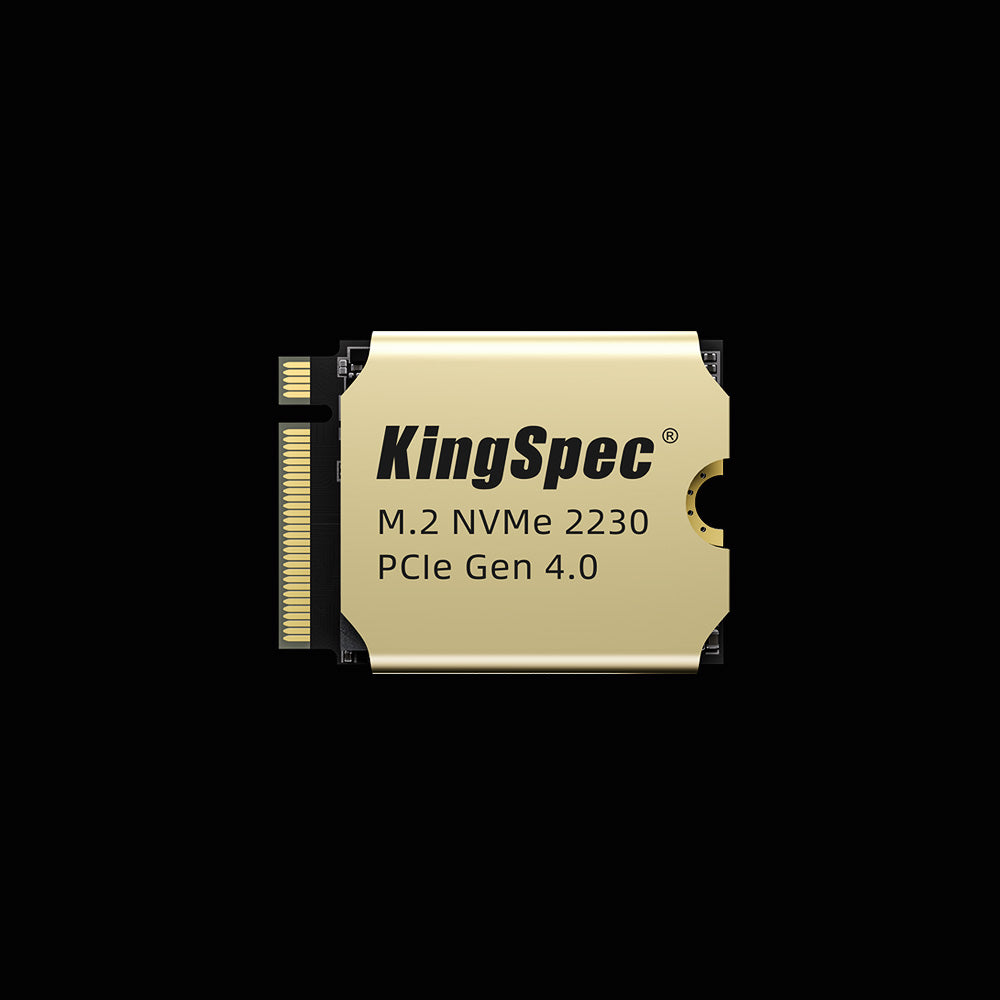
- Read: Up to 5,000 MB/s
- Write: Up to 4,400 MB/s
- Interface: PCIe Gen4 x4, NVMe
- Form Factor: M.2 2230 (30mm compact)
- Capacities: 512GB, 1TB, 2TB
- Cooling: Ultra-thin copper heatsink
- Compatibility: Steam Deck, ultrabooks, mini PCs
- Warranty: 3 Years
The fastest M.2 SSD option for compact builds that cannot fit a standard 2280 drive. Purpose-built for the Steam Deck, ultrabooks, and mini PCs. Copper heatsink manages thermals in tight spaces while delivering full PCIe Gen4 x4 performance.
Fastest M.2 SSD for Gaming: What Actually Matters
Gaming is one of the primary reasons people seek the fastest M.2 SSD. Fast storage directly improves load times, reduces open-world texture streaming delays, and makes game installations faster. Technologies like DirectStorage are designed to take advantage of NVMe bandwidth, streaming assets directly to the GPU without CPU bottlenecking.
In real-world gaming load time tests, the measurable difference between PCIe 3.0 and PCIe 4.0 is clear: typically several seconds per load. The difference between PCIe 4.0 and PCIe 5.0 in gaming is smaller: usually under one second per load in most current titles. Where Gen5 leads in gaming is in systems that also handle AI tasks, large game installs, and simultaneous streaming or recording.
For competitive gamers building a next-generation rig, the XF Series 2280 is the fast Gen4 pick that also qualifies for PS5 expansion. For content creators who game and edit between sessions, the X500 or VP14000 ensures storage never becomes the bottleneck. For more on how NVMe speed affects gaming, see: Best NVMe SSD for Gaming: PCIe 4.0 vs 5.0 Compared.
Fastest M.2 SSD for Workstations and Professional Use
Professional workloads separate fast M.2 SSDs from the fastest M.2 SSDs. Video editors working with 8K RAW footage, architects running large simulation files, and AI developers loading multi-gigabyte datasets all feel the difference between Gen4 and Gen5 in real time saved per session.
| Workload | Recommended Drive | Why It Fits |
|---|---|---|
| Gaming (desktop or PS5) | KingSpec XF Series 2280 | Gen4 speed, PS5 compatible, great value |
| 4K video editing and creative work | KingSpec X500 Series | Gen5 DRAM cache, fast sustained writes |
| 8K editing, AI/ML, enterprise workstation | KingSpec VP14000 Series | Max Gen5 throughput, built-in heatsink |
| Steam Deck, ultrabook, mini PC | KingSpec XF Series 2230 | Gen4 speed in compact 30mm form factor |
Fastest M.2 SSD for Laptops and Compact Builds

Not every fast system uses the standard 2280 form factor. Ultrabooks, mini PCs, the Steam Deck, and many gaming handheld devices use the shorter 2230 (30mm) form factor. The KingSpec XF 2230 delivers PCIe 4.0 Gen4 x4 speed up to 5,000 MB/s in this compact size, with a copper heatsink that keeps thermals stable even in tight chassis with limited airflow.
Before upgrading any laptop or compact device, always check your device's specification sheet for the supported M.2 slot size and PCIe generation. Installing a 2280 drive in a device that requires 2230 is not physically possible. For a complete guide to compact SSD upgrades for handhelds: Steam Deck SSD Upgrade: What You Need.
How to Choose the Fastest M.2 SSD for Your System
Matching the fastest M.2 SSD to your build avoids both overpaying and underperforming. Work through these four checks before purchasing:
- Confirm your motherboard's PCIe version. A PCIe 5.0 SSD installed in a Gen4 slot runs at Gen4 speeds. Check your board's M.2 slot spec in the manual before buying a Gen5 drive.
- Confirm the M.2 form factor. Most desktops and gaming laptops use 2280. Steam Deck, many ultrabooks, and mini PCs use 2230. Installing the wrong size is a physical incompatibility.
- Plan for cooling. Gen5 drives require a heatsink. If your board's M.2 slot does not include a heatsink bracket, choose a drive with integrated cooling like the VP14000 or X500.
- Match capacity to workload. 1TB suits OS plus a game library. 2TB handles active creative projects plus software. 4TB covers large datasets and professional archive access.
For a deeper guide on what to look for in an NVMe upgrade, including how to read spec sheets and compare real-world benchmarks, see: PCIe 4.0 NVMe SSD: Speed and Performance Guide.
Conclusion
The fastest M.2 SSD today reaches up to 14,000 MB/s using PCIe 5.0 x4 technology. For most gamers and creators, PCIe 4.0 still delivers excellent real-world results at better value. The right drive is not always the one with the highest number; it is the one that matches your platform, form factor, cooling setup, and workload.
KingSpec covers the full range from fastest compact Gen4 (XF 2230) to fastest overall Gen5 (VP14000), with drives that include built-in thermal solutions and a 3-year warranty. Beyond M.2 SSDs, KingSpec also offers portable SSDs, DDR RAM, and memory cards to complete a high-performance system build.
Browse Related Collections
Frequently Asked Questions About the Fastest M.2 SSD
What is currently the fastest M.2 SSD?
The fastest M.2 SSDs use PCIe 5.0 x4 technology and reach up to 14,000 MB/s sequential read under optimal conditions. The KingSpec VP14000 and X500 Series both deliver this level of performance. Real-world speeds depend on system compatibility, cooling setup, and workload type. PCIe 5.0 requires a Gen5-capable M.2 slot on an Intel 12th Gen or newer, or AMD AM5 platform.
What is the highest speed an M.2 SSD can reach?
The current consumer ceiling is approximately 14,000 MB/s sequential read for PCIe 5.0 x4 M.2 NVMe drives. This is measured under ideal conditions with sustained sequential workloads. Actual speeds vary by workload: random access performance, measured in IOPS, is equally important for day-to-day system responsiveness. Future PCIe generations will push this limit higher, but PCIe 5.0 represents the fastest available today.
Is the fastest M.2 SSD worth it for gaming?
It depends on the generation gap. Upgrading from SATA or PCIe 3.0 to PCIe 4.0 delivers a noticeable improvement in game load times. Upgrading from PCIe 4.0 to PCIe 5.0 shows a smaller difference in most current games, often under one second per load. For gaming builds on a Gen4 platform, the XF Series 2280 is the practical fastest M.2 SSD. On a Gen5-capable system, the X500 Series adds future-proofing for DirectStorage titles and large game libraries at the same peak read speed as the VP14000.
How fast is PCIe 4.0 x4 compared to PCIe 3.0 x4?
PCIe 4.0 x4 provides roughly double the bandwidth of PCIe 3.0 x4. PCIe 3.0 tops out around 3,500 MB/s sequential read, while PCIe 4.0 reaches up to 7,400 MB/s. In practice, this difference is clearly noticeable when transferring large files, installing games, or exporting video. For everyday tasks like web browsing and office apps, both generations feel similarly responsive because those tasks rely more on random IOPS than sequential throughput.
Which NVMe drive is the fastest for compact systems?
For compact systems that require the 2230 (30mm) form factor, such as the Steam Deck, ultrabooks, and mini PCs, the KingSpec XF Series 2230 is the fastest available option in the KingSpec lineup. It delivers up to 5,000 MB/s read and 4,400 MB/s write using PCIe Gen4 x4 and includes an ultra-thin copper heatsink for thermal management in space-constrained builds. Always confirm your device supports PCIe Gen4 before purchasing a Gen4 2230 drive.
Do I need a heatsink for the fastest M.2 SSD?
Yes, especially for PCIe 5.0 drives. Gen5 SSDs generate significantly more heat under sustained load than Gen4 drives. Without a heatsink, they will thermally throttle and reduce speed to protect themselves. Both the KingSpec VP14000 and X500 Series include integrated heatsinks to prevent this. For PCIe 4.0 drives like the XF Series, a motherboard M.2 heatsink bracket or the included graphene/copper thermal label is sufficient for most builds.

