
Somewhere in your computer’s memory, a single bit could flip from 0 to 1 right now, and you’d probably never notice. ECC RAM exists to catch exactly that. It’s memory that can detect and correct certain errors while the computer runs, which is why servers and workstations rely on it. For most home and gaming PCs, though, standard DDR RAM without ECC is all you need.
ECC also only works when your processor and motherboard support it. This guide explains what ECC RAM does, how it compares with regular memory, how DDR5’s on-die ECC fits in, and whether your computer actually needs it.
Key Takeaways
- ECC stands for Error-Correcting Code.
- ECC RAM can correct some memory errors and detect others.
- It’s most common in servers, workstations, and always-on home servers.
- Your CPU and motherboard must both support ECC for error correction to work.
- DDR5’s on-die ECC is not the same as full ECC memory.
- Most everyday and gaming PCs don’t need ECC RAM.
What ECC RAM Does

ECC RAM checks data as it moves through memory and fixes certain errors before they cause a crash or a wrong result.
It works by storing extra check information alongside your data. That lets the system spot a bit that has changed unexpectedly, from 0 to 1 or 1 to 0. These flips are uncommon, but electrical interference, hardware faults, and other conditions can cause them.
Many common ECC systems can correct a single-bit error and detect a double-bit error, though exact capabilities vary. ECC can’t fix every memory problem, and it doesn’t protect against software bugs, failing hardware, or lost files.
How ECC RAM Works
ECC memory uses its extra check information to confirm whether data has changed. The memory controller compares the two and, when it can, puts the correct value back.
Error Detection and Correction
Think of ECC as a running spot check on everything in RAM. If one bit changes, ECC can usually find it and restore the right value. If a more complex error happens, the system may detect and report it without being able to fix it.
That lowers the risk of memory errors affecting your work, but it doesn’t make a system error-proof. Important files still need backups.
Why ECC Modules Have Extra Chips
The check information needs somewhere to live, so full ECC modules include extra memory capacity just for it. That’s why an ECC stick often has one more chip per side than a standard module of the same size. The extra chip stores check data, not more usable memory.
ECC RAM vs. Non-ECC RAM
The core difference is simple: ECC RAM can check and correct certain errors, and non-ECC RAM can’t.
| Feature | ECC RAM | Non-ECC RAM |
|---|---|---|
| Checks for memory errors | Yes, with compatible hardware | No |
| Corrects some errors | Yes | No |
| Common in | Servers and workstations | Most home and gaming PCs |
| System support needed | CPU and motherboard must support ECC | Works on standard desktops |
| Typical cost | Usually higher | Usually lower |
ECC RAM isn’t automatically faster or slower than non-ECC RAM. Any performance difference depends on the computer and the work it’s doing. To brush up on how memory generations differ, see this guide to what DDR RAM is.
On-Die ECC vs. Full ECC in DDR5
If you’re shopping for DDR5, you’ll see “on-die ECC” on many standard modules. It sounds like ECC RAM, but it isn’t the same thing.
On-die ECC is built into every DDR5 memory chip. It fixes certain errors inside the chip itself, which helps DDR5 stay reliable at higher speeds and densities. It doesn’t check data as it travels between the memory and the processor, and it doesn’t report errors to your system. Full ECC memory does both, using its extra chips and your CPU’s memory controller.
| Feature | DDR5 On-Die ECC | Full ECC Memory |
|---|---|---|
| Where it works | Inside each memory chip | Between memory and CPU |
| Included on standard DDR5 | Yes | No, needs ECC modules |
| Reports errors to the system | No | Yes, on supported systems |
| Needs CPU and board support | No | Yes |
So a standard DDR5 gaming kit gets a reliability boost from on-die ECC, but it isn’t ECC RAM in the server sense.
Types of ECC RAM
ECC describes error checking, but ECC modules also differ in how they handle memory signals. The type your computer accepts depends on its processor and motherboard.
| Memory Type | What It Means | Common Use |
|---|---|---|
| ECC UDIMM | Unbuffered ECC memory | Workstations, home servers, and entry-level servers |
| ECC RDIMM | Registered ECC memory | Servers that need more memory |
| LRDIMM | Load-reduced memory | Systems with very high memory capacity |
These types usually aren’t interchangeable. Check your system specifications before buying, even if a module looks like it will fit.
Where ECC RAM Is Used
ECC RAM pays off where a memory error could mean costly downtime or a wrong result. That’s why it’s standard in servers and common in professional systems.
- Servers and data centers: They run for long stretches and handle websites, databases, and business services.
- Workstations: Engineers, scientists, and data analysts use ECC for long calculations where accuracy matters.
- Home servers and NAS builds: ECC can help when a system stores important files or runs services around the clock, such as a NAS with SSD storage.
- Everyday PCs: Most computers used for browsing, school, office work, and gaming don’t need ECC.
ECC isn’t a replacement for backups. If a computer holds important data, keep a separate backup even when it uses error-correcting memory.
ECC RAM Compatibility
ECC RAM only corrects errors when the whole system supports it. The memory module, CPU, and motherboard all have to work together.
Before you buy ECC memory, check:
- CPU support: Confirm that your processor supports ECC. Server and workstation processors usually do, while support on consumer chips varies by model and platform.
- Motherboard support: Make sure the board supports ECC operation, not just physical installation.
- Memory type: Check whether the system needs ECC UDIMM, ECC RDIMM, or another type.
- System settings: Some computers enable ECC automatically, while others show its status in the BIOS or system information.
A module that fits the slot doesn’t mean ECC is supported or turned on, so check the exact CPU and motherboard specifications.
Benefits and Limits of ECC RAM

ECC RAM improves reliability in systems that process important data or run for long periods. It has limits too, so weigh both sides.
| Benefits | Limits |
|---|---|
| Detects and corrects certain memory errors | Needs compatible hardware and the correct memory type |
| Can reduce crashes or wrong results from those errors | Usually costs more than non-ECC RAM |
| Supports reliable operation in servers and workstations | Can’t fix every memory error or prevent every failure |
| Valuable where reliability matters most | Little practical benefit for everyday use or gaming |
Choosing ECC RAM or Non-ECC RAM
ECC RAM is worth it for a server, a professional workstation, or a home server that holds data you can’t afford to corrupt. In those systems, reliability matters more than keeping costs down.
For browsing, schoolwork, content creation, and gaming, non-ECC memory is the practical choice. It costs less, works with standard desktop motherboards, and is widely available in fast gaming kits. If you’re building a gaming PC, this roundup of the best DDR5 RAM is a good place to start.
Recommended KingSpec RAM for Everyday and Gaming PCs
KingSpec’s desktop memory is non-ECC, which is exactly what most home, office, and gaming PCs use. If your system doesn’t need server-grade error correction, these modules give you speed and capacity at a lower cost. Check that your motherboard supports the generation and speed before you buy.
Best DDR5 and DDR4 Desktop Memory
Pick DDR5 for a current-generation platform, or DDR4 if your motherboard uses DDR4 slots.
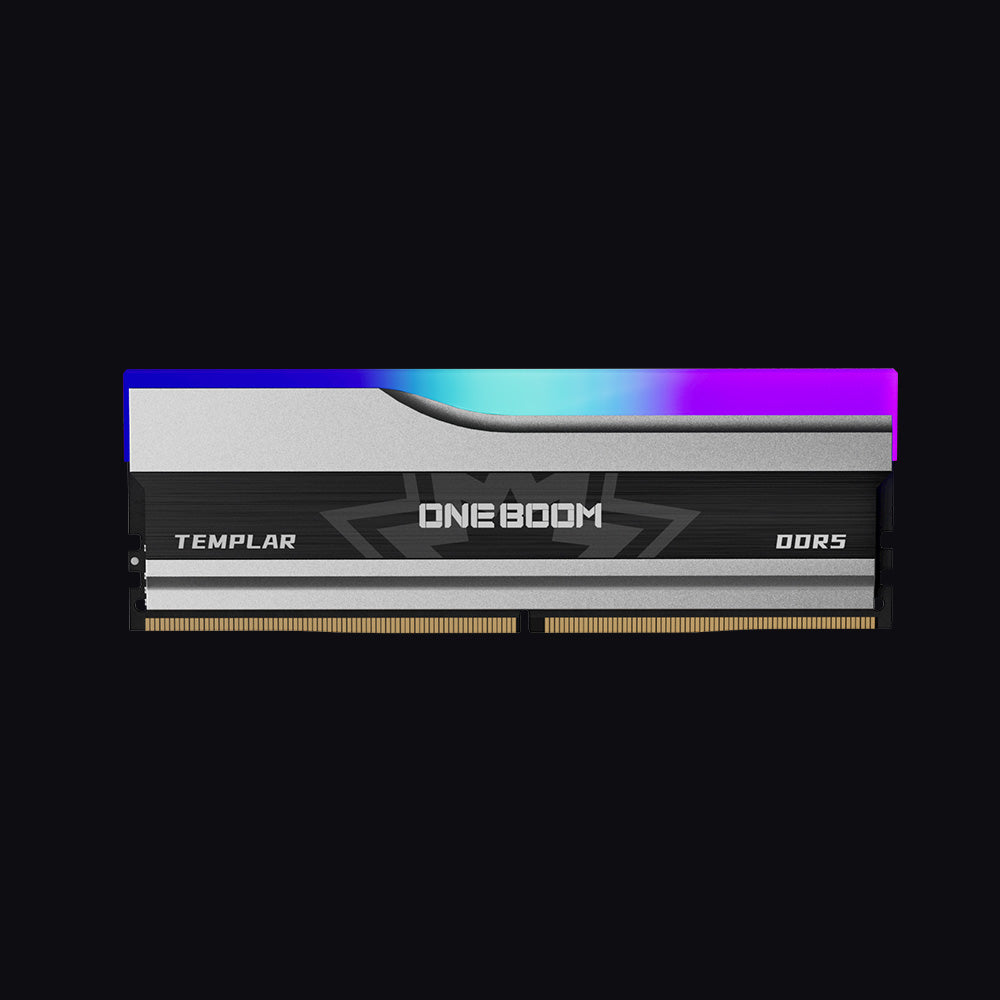
- Type: DDR5, 288-pin DIMM
- Speed: 5600 or 6000MT/s
- Capacities: 16GB or 32GB (2x16GB)
- Reliability: On-die ECC
- Cooling: Aluminum heatsink
- Warranty: 3 Years
Fast DDR5 for current Intel and AMD gaming platforms, with customizable RGB lighting. On-die ECC adds a layer of reliability inside each chip without the cost of server memory.
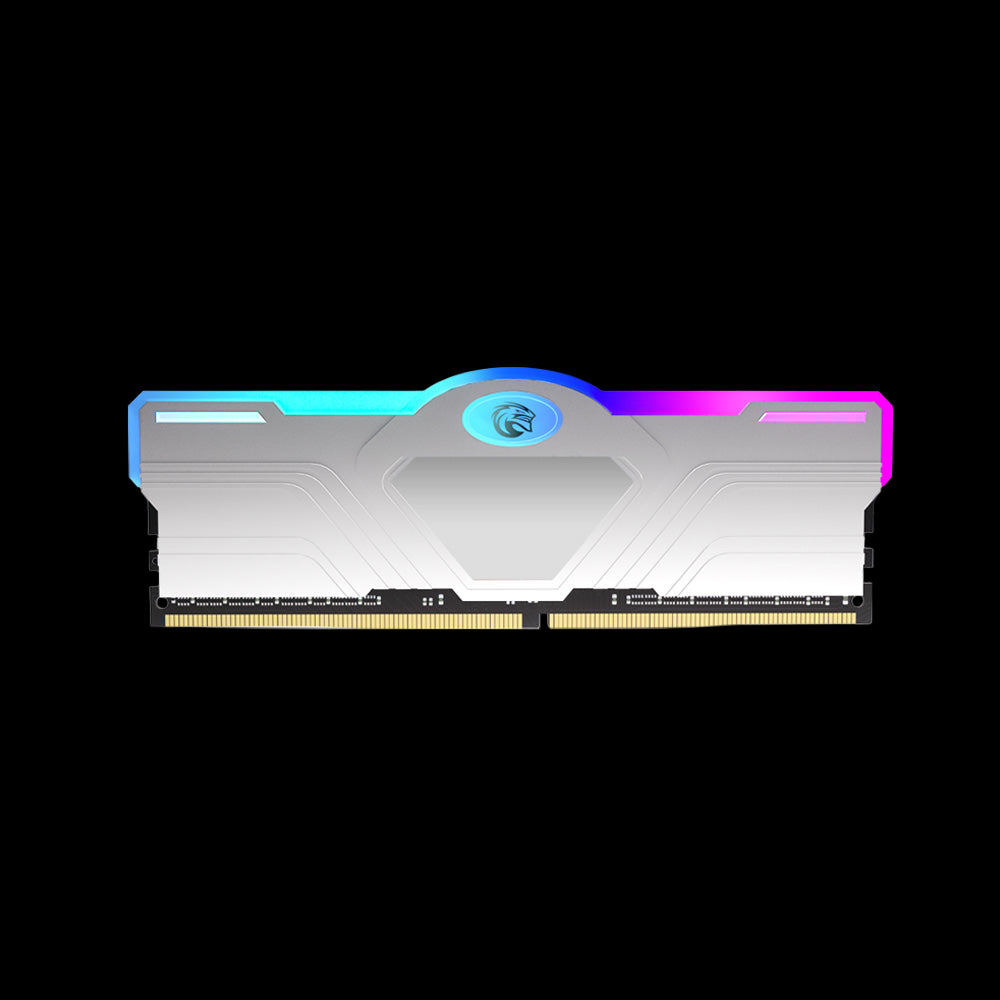
- Type: DDR4, 288-pin DIMM
- Speed: From 3200MHz
- Error Checking: Non-ECC
- Cooling: Aluminum heatsink
- Lighting: RGB
A clean silver look with RGB lighting for DDR4 builds, especially white or light-themed PCs. A simple way to add capacity and style to a DDR4 gaming desktop.
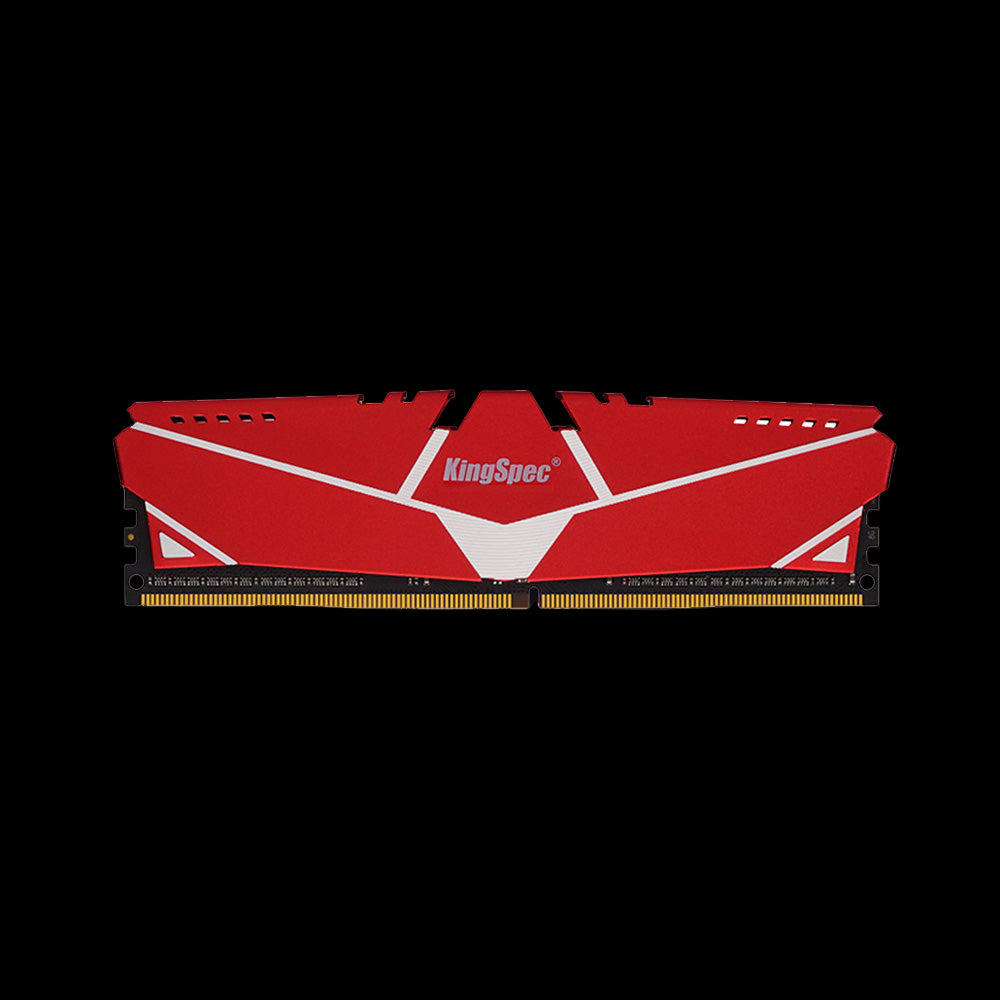
- Type: DDR4, 288-pin DIMM
- Speed: 3200MHz
- Error Checking: Non-ECC
- Cooling: Red aluminum heatsink
- Platforms: Intel and AMD
A no-fuss 3200MHz DDR4 upgrade for everyday and gaming desktops. The heatsink helps keep temperatures steady during long sessions, and the price leaves room in the budget for other parts.
Why Non-ECC RAM Fits Most PCs
Desktop gaming and home PCs use standard unbuffered memory, and most consumer motherboards are built around it. Non-ECC modules like these give you the speeds gaming platforms are tuned for, at a fraction of the cost of server memory.
Which KingSpec RAM Should You Choose?
Building on a current DDR5 platform? The Templar is the pick, and you can browse more DDR5 desktop memory for other options. On a DDR4 board, choose the Silver RGB for looks or the Red Heatsink for value. If you’re building a server that truly needs ECC, buy modules your CPU and motherboard list as ECC-supported.
Wrapping Up: Match the Memory to the Job
ECC RAM detects and corrects certain memory errors, which makes it valuable for servers, workstations, and always-on home servers. It only works when the CPU, motherboard, and memory all support it, and it isn’t essential for most everyday or gaming computers.
If your PC doesn’t need server-grade error correction, browse the collections below for fast, affordable memory and storage upgrades.
Browse Related Collections
Frequently Asked Questions (FAQs):
Can I use ECC RAM for gaming?
Sometimes, if your CPU and motherboard support it. ECC RAM usually doesn’t give a noticeable gaming advantage, and gaming kits often reach higher speeds for less money. If you want error correction anyway, confirm it’s supported and enabled.
How do I know if my RAM is ECC or non-ECC?
Check the memory’s model number and the manufacturer’s specifications. Your system information or BIOS may also show whether ECC is supported or active. Having ECC modules installed doesn’t always mean error correction is working.
Is DDR5 RAM ECC by default?
Not in the full sense. Every DDR5 chip includes on-die ECC, which fixes certain errors inside the chip. It doesn’t protect data moving to the CPU or report errors, so standard DDR5 isn’t a substitute for ECC memory in a server.
Should I have ECC on or off?
If your compatible system supports ECC, leaving it on is generally the right call when reliability matters. Some computers manage ECC automatically and don’t offer a setting. Check your system documentation before changing memory settings.
Is ECC RAM the same as registered RAM?
No. ECC describes the ability to detect and correct certain errors. Registered describes how a module handles signals. Some ECC memory is registered, and some is unbuffered.
Can I mix ECC and non-ECC RAM?
It depends on the computer, but mixing them can stop ECC from working or cause compatibility problems. Some systems won’t start with mixed memory types. Follow the memory guidance for your CPU and motherboard.

