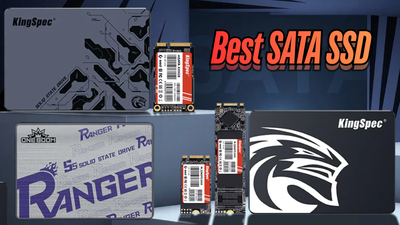
An SSD can make a computer or machine faster, but not every SSD is built for the same job. Consumer SSDs focus on speed, value, and everyday use, while industrial SSDs focus on endurance, stable operation, and difficult working conditions. Industrial SSDs are often better suited to harsh or long-life applications because some models offer wider temperature support, higher endurance, power-loss protection, and longer product availability. Choosing the wrong type can lead to overheating, data loss, early wear, or expensive downtime.
Key Takeaways
- Consumer SSDs suit laptops, desktops, gaming, and normal indoor use.
- Industrial SSDs suit 24/7 systems, harsh temperatures, vibration, and heavy writes.
- Peak speed is only one factor. Endurance, power-loss protection, and product support also matter.
- Consumer NVMe SSDs may be faster in short tests, while industrial SSDs often provide steadier long-term performance.
- Choose according to the workload, environment, service life, and cost of failure.
- "Industrial" does not automatically mean an SSD is more reliable in every application. Always check the specifications of the individual model.
Industrial SSD vs Consumer SSD at a Glance

Industrial and consumer SSDs use similar storage technology, but they are designed for different conditions. This comparison shows the main differences before we look at each feature in detail.
| Feature | Industrial SSD | Consumer SSD |
|---|---|---|
| Main use | Industrial, embedded, transport, and automation systems | Laptops, desktops, gaming PCs, and home devices |
| Operating environment | Some models support wider temperature ranges | Usually built for normal indoor temperatures |
| Write endurance | Often higher, depending on the model | Sized for typical daily workloads |
| Power-loss protection | Available on many models, but not all | Often limited or unavailable |
| Long-term performance | May stay more consistent under demanding workloads | Strong burst performance |
| Shock and vibration | Some models are tested for harsh environments | Built for normal handling |
| Product availability | May be supported for longer periods | Models may change more often |
| Cost | Higher | Lower |
What Is an Industrial SSD?
An industrial SSD is a solid-state drive designed for equipment that must run reliably for long periods. It may be used in factories, vehicles, embedded systems, industrial computers, robotics, surveillance systems, and outdoor equipment.
Industrial SSDs may include features such as:
- Wider operating temperature support
- Higher write endurance
- Advanced error correction and data-integrity features
- Predictable firmware behavior
- Shock and vibration testing
- Longer product availability
- Health monitoring tools
"Industrial SSD" is not a single universal technical classification, and features vary by manufacturer and model. Buyers should review the datasheet instead of relying only on the word "industrial." Verify the model's operating temperature, endurance rating, power-loss protection, data-retention specification, shock and vibration rating, and product life-cycle policy directly with the supplier.
What Is a Consumer SSD?
A consumer SSD is designed for everyday computing. Common uses include operating systems, applications, games, office work, browsing, photo storage, and home media libraries.
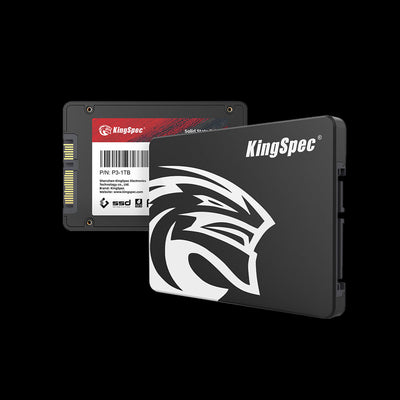
Consumer SSDs usually focus on affordable pricing, fast startup and application loading, low power use, high burst speeds, easy installation, and compatibility with common computers. A consumer SSD can deliver excellent performance and reliability in a clean, temperature-controlled environment, and may also suit some professional systems when the temperature, write workload, power design, and replacement plan stay within the drive's specifications. Browse KingSpec's internal SSD lineup to see current SATA and NVMe options built for exactly this kind of everyday use. A consumer drive may not suit equipment that runs continuously in heat, cold, vibration, or unstable power.
Shop KingSpec Consumer SSDs
Reliable, budget-friendly picks for laptops, desktops, and everyday upgrades.
Industrial SSD vs Consumer SSD: Main Differences
Industrial and consumer SSDs can look similar, but their internal design, testing, firmware, and support may differ. The most important comparison points are temperature, endurance, power protection, sustained performance, and product life.
Temperature Range and Heat Control
Temperature is one of the clearest differences between industrial and consumer SSDs. Consumer drives are generally made for normal indoor conditions, while industrial drives may be designed for hot factories, cold storage areas, vehicles, or outdoor equipment.
A wide operating-temperature rating means the drive has been qualified for a broader range; it does not eliminate the need for appropriate system cooling. High temperatures can increase NAND wear and cause the controller to reduce speed. Also distinguish between the manufacturer's operating-temperature rating and storage-temperature rating, since they are not necessarily the same.
Industrial SSDs can be a better choice when the system faces direct sunlight, poor airflow, sealed enclosures, outdoor temperature changes, nearby processors or power components, or unheated warehouses.
Write Endurance and Service Life
SSD endurance describes how much data a drive can write before its memory cells reach their rated wear limit. Manufacturers often express endurance as TBW, or terabytes written, and some use DWPD, or drive writes per day.
TBW and DWPD are manufacturer ratings based on defined test conditions. They compare drives well but do not predict the exact time a drive will fail. Endurance is also affected by capacity, NAND type, over-provisioning, write amplification, workload pattern, temperature, and firmware.
Industrial SSDs are often designed for heavier write workloads, including continuous logging, video recording, factory data collection, database activity, machine control records, and frequent system updates. Consumer SSDs are normally suitable for typical daily use, but a write-heavy workload can wear them faster than expected. Estimate the amount of data written each day and compare it with the drive's endurance rating, while leaving an appropriate safety margin.
Power-Loss Protection
Power-loss protection helps an SSD safely complete certain internal operations and reduce the risk of data or metadata corruption when electricity suddenly stops. Some industrial SSDs may include hardware-based power-loss protection, depending on the model. Where included, capacitors can provide temporary power that helps protect data in the drive's cache and update internal records safely.
Power-loss protection does not guarantee that every application write has been saved. The operating system, application, file system, storage protocol, and SSD firmware also affect what has actually been committed. It can be important for industrial controllers, medical equipment, point-of-sale systems, databases, automation systems, and devices with unstable power. A consumer SSD may include basic safeguards, but buyers should not assume it has full power-loss protection.
Sustained Performance and Latency
Consumer SSDs often deliver excellent peak speeds, especially NVMe models. Some consumer SSDs use a dynamic SLC cache, which can make short write tests look much faster than long writes. After the cache fills, write speed may decrease.
Industrial SSDs may focus more on stable performance over long periods. A drive that maintains predictable latency during continuous writes can be more useful in a machine control system than one that reaches a higher speed for a short time. If you are weighing interface generations for a build, our PCIe 4.0 vs PCIe 5.0 comparison breaks down what the jump in bandwidth actually changes in daily use.
| Performance factor | Why it matters |
|---|---|
| Sequential read speed | Useful for large file transfers and loading data |
| Sequential write speed | Important when saving large files |
| Random IOPS | Affects many small file operations |
| Sustained write speed | Shows long-workload performance |
| Latency | Measures response consistency |
| Thermal throttling | Shows how heat may reduce speed |
NAND Flash and Error Correction
SSD storage uses NAND flash memory. Common types include SLC, MLC, TLC, and QLC, which differ in cost, capacity, speed, and endurance: SLC stores one bit per cell, MLC traditionally stores two, TLC stores three, and QLC stores four.
Industrial models may use higher-endurance NAND, while other models may use TLC NAND with specialized firmware, over-provisioning, or additional testing. NAND type is important, but it is not the only measure of quality. The controller, firmware, cooling, over-provisioning, and power design also affect real-world reliability.
Shock and Vibration Resistance
An SSD has no moving disk platters, but it can still be affected by physical stress. Vibration can affect connectors, circuit boards, mounting points, and solder joints. Industrial SSDs may be tested for use in vehicles, robotics, heavy machinery, portable equipment, factory systems, and field data devices.
Check the specific shock and vibration ratings, because testing methods, standards, and limits vary between models. The SSD is only one part of the solution: the enclosure, mounting system, connector, and cable should also be designed for the expected movement and vibration.
Long-Term Availability and Support
Consumer SSD models can be replaced quickly as new products appear, which is usually fine for a home computer. Industrial equipment may need the same storage model for many years, so industrial suppliers may offer longer product availability, controlled component changes, product-change notices, firmware support, and technical documentation.
Longer availability is a vendor policy, not an automatic property of every industrial SSD. Confirm the expected availability period and change-notification policy directly with the supplier before committing a long-life design to a single drive.
Industrial SSD vs Consumer SSD: Which Is Faster?

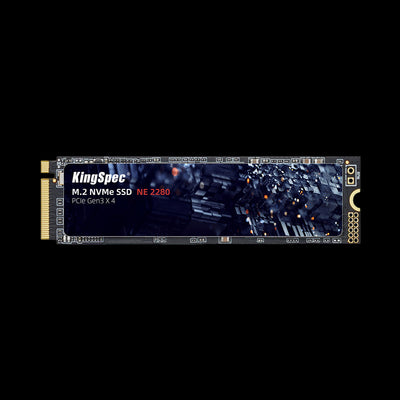
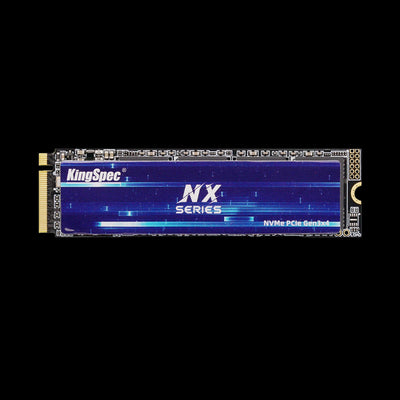
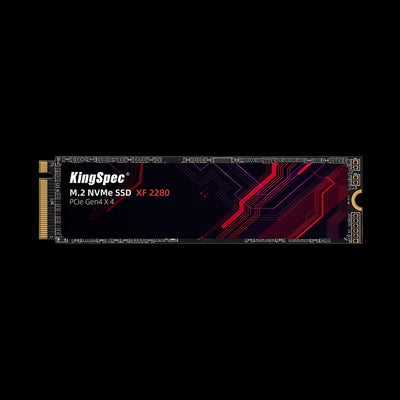
Consumer NVMe SSDs often offer the highest peak read and write speeds at competitive prices, especially PCIe 4.0 and PCIe 5.0 models. The XG7000 PCIe 4.0 NVMe SSD is a good example: it is built for gaming, large file transfers, and desktop content work where peak throughput matters most.
Specialized industrial NVMe SSDs can also offer very high performance. Industrial SSDs may not always win a short benchmark, but they can offer steadier speed during long workloads, along with more predictable latency, wider temperature support, and better endurance.
| Use case | More suitable choice |
|---|---|
| Gaming and everyday PC use | Consumer NVMe SSD |
| Large file transfers | High-speed consumer NVMe SSD |
| Continuous industrial logging | Industrial SSD |
| Hot or poorly ventilated equipment | Industrial SSD with a suitable temperature rating and cooling |
| Systems needing predictable response | Industrial SSD, if its datasheet confirms the workload |
| Older equipment with SATA support | Compatible SATA SSD |
Always check whether the host device supports SATA or NVMe before comparing speeds.
Shop High-Performance NVMe SSDs
Faster boot times, quicker load screens, and smoother large file transfers.
Industrial SSD vs Consumer SSD: Which Is More Reliable?
Industrial SSDs are often better suited for harsh environments and critical equipment because some models offer wider temperature ratings, higher endurance, power-loss protection, and longer product support. However, "industrial" does not automatically mean an SSD will fail less often in every application.
Consumer SSDs can still be highly reliable for normal home and office use. Reliability depends on using the drive within its rated conditions and matching its endurance to the workload. No SSD should be treated as a replacement for backups: important systems need a backup and recovery plan even when they use industrial storage.
Industrial SSD vs Consumer SSD: Which Costs Less?
Consumer SSDs usually cost less because they are produced in larger volumes and designed for standard conditions. They are a practical choice when the drive is easy to replace and downtime has a low cost.
Industrial SSDs cost more because they may include higher endurance, wider temperature ratings, power-loss protection, additional testing, long-term supply support, specialized firmware, and technical assistance. The cheapest drive at purchase may not be the cheapest option over the full life of a system: downtime, data recovery, field service, and redesign costs can quickly outweigh the original price difference.
How to Choose Between an Industrial and Consumer SSD
Start with the environment and workload, not the advertised speed.
Choose a Consumer SSD When:
- The drive is used in a laptop, desktop, or gaming PC.
- The environment is clean and temperature controlled.
- The workload involves office work, gaming, browsing, or home storage.
- The system does not require full power-loss protection.
- Replacing the drive later is simple and affordable.
Choose an Industrial SSD When:
- The system runs continuously.
- The drive is difficult or expensive to replace.
- Temperature, vibration, or shock is a concern.
- Sudden power loss could corrupt important information.
- The workload includes frequent or continuous writing.
- The system must stay available for many years.
- Downtime could affect production, safety, or revenue.
| Specification | What to check |
|---|---|
| Interface | SATA or NVMe compatibility |
| Form factor | 2.5-inch, M.2, mSATA, or another format |
| Operating temperature | Match the drive to the real environment |
| Endurance | Compare TBW or DWPD with expected writes |
| Power-loss protection | Confirm whether full protection is included |
| Sustained performance | Review long-workload write behavior |
| Shock and vibration | Check ratings for mobile or industrial use |
| Data retention | Important for long periods without power |
| Warranty | Review coverage and service terms |
| Product availability | Confirm support for the expected service life |
M.2 describes the physical form factor, while SATA and NVMe describe the storage interface and protocol. An M.2 slot may support SATA, NVMe, or both, so check the computer or device manual before buying.
Common Buying Mistakes
Choosing Only by Peak Speed
The highest read speed does not show how a drive performs after long writing, high temperatures, or a full cache. Always check sustained performance and thermal behavior.
Ignoring the Workload
A drive used for occasional file storage has different needs from one recording video or writing machine logs all day. Estimate daily writes before choosing capacity and endurance.
Assuming Every Industrial SSD Has the Same Features
Some industrial drives support wide temperatures but lack power-loss protection. Others may offer high endurance but limited long-term availability. Review the actual product specifications.
Forgetting System Compatibility
An NVMe drive cannot automatically replace every SATA drive. Check the interface, connector, form factor, boot support, power requirements, and mounting method.
Skipping Backups
Industrial storage lowers risk, but it cannot prevent every failure. Keep tested backups for important data and system settings, and pair your primary drive with a portable backup option for an extra layer of protection.
Shop Portable Backup Drives
An easy second copy of your data, in case your primary drive ever fails.
Frequently Asked Questions
Which type of SSD is better?
What are the three types of SSDs?
Does it matter which SSD I choose?
What type of SSD is faster?
Which SSD should I choose?
Bottom Line: Match the Drive to the Job, Not the Ad
The main difference between an industrial SSD and a consumer SSD is the environment and workload they are built to handle. Consumer SSDs offer strong value for laptops, desktops, gaming, and normal home use, while industrial SSDs may be better suited for continuous operation, harsh conditions, higher endurance, power-loss risks, and long service periods, when the specific model provides the required ratings and features. Choose based on temperature, writes per day, performance consistency, compatibility, product support, and the cost of failure.
Explore More KingSpec Storage
Every price and spec is listed up front on the product page.