
Computers feel fast or slow largely because of their memory, and DDR RAM plays a huge role in that experience.
If you have ever noticed apps opening quickly or games running smoothly, DDR RAM is often working behind the scenes. Learning what DDR RAM is can help you understand why some computers perform better than others.
Keep reading to see how DDR RAM works and why it matters when choosing or upgrading a system.
What Is DDR RAM?
DDR RAM stands for Double Data Rate Random Access Memory, and it is the main working memory used in modern computers. It temporarily holds data that the processor needs right now, allowing programs to run smoothly.
DDR RAM matters because it affects multitasking, loading speeds, and overall system responsiveness. Without enough DDR RAM or the right type, even a powerful computer can feel slow.
What Does DDR Mean on RAM?

DDR means Double Data Rate, which refers to how memory transfers data. DDR RAM sends data twice per clock cycle instead of once.
This method increases speed without needing much more power. That improvement is why DDR RAM replaced older memory types in modern computers.
How DDR RAM Works Inside a Computer?
DDR RAM acts like a short term workspace for your computer. When you open an app or file, the data moves from storage into DDR RAM so it can be accessed quickly.
This is different from long term storage such as SSDs or hard drives. DDR RAM clears when the computer turns off, but while running, it keeps everything moving fast.
DDR RAM vs SDRAM
SDRAM stands for Synchronous Dynamic Random Access Memory and was common before DDR RAM. SDRAM could only move data once per clock cycle.
DDR RAM improved this by moving data twice per cycle. That change made computers faster and more efficient without increasing power use too much.
DDR RAM Generations
Each generation of DDR RAM brings better speed and efficiency. Knowing the differences helps you understand which memory works with your system.
DDR1 and DDR2
DDR1 and DDR2 were early DDR RAM versions. They are now outdated and rarely supported by modern hardware.
DDR3 RAM
DDR3 RAM improved speed and power use compared to earlier types. Some older computers still use it, but it is no longer common.
DDR4 RAM
DDR4 RAM is widely used today and offers a strong balance of speed and efficiency. It is suitable for daily tasks, schoolwork, and gaming.
DDR5 RAM
DDR5 RAM is the newest generation and provides higher bandwidth and better power management. It is designed for newer systems that need more performance.
DDR3 vs DDR4 vs DDR5 Differences
Comparing DDR generations helps you choose the right memory. The main differences involve speed, power use, and system support.
DDR3 vs DDR4 vs DDR5 Comparison Table
| Feature | DDR3 RAM | DDR4 RAM | DDR5 RAM |
|---|---|---|---|
| Release period | Older generation | Current mainstream | Newest generation |
| Typical speed range | Slower | Faster than DDR3 | Fastest DDR RAM |
| Power efficiency | Higher power use | Improved efficiency | Best power efficiency |
| System support | Older computers | Most modern systems | Newer platforms only |
| Gaming performance | Limited today | Strong and reliable | Best for future systems |
| Upgrade availability | Limited | Widely available | Growing availability |
| Compatibility | Not compatible with DDR4 or DDR5 | Not compatible with DDR3 or DDR5 | Not compatible with DDR3 or DDR4 |
Best DDR RAM from KingSpec for Different Needs
If you are planning a memory upgrade or building a new system, choosing the right DDR RAM can make a noticeable difference in speed and overall performance.
KingSpec DDR4 RAM Memory Silver with RGB Lights
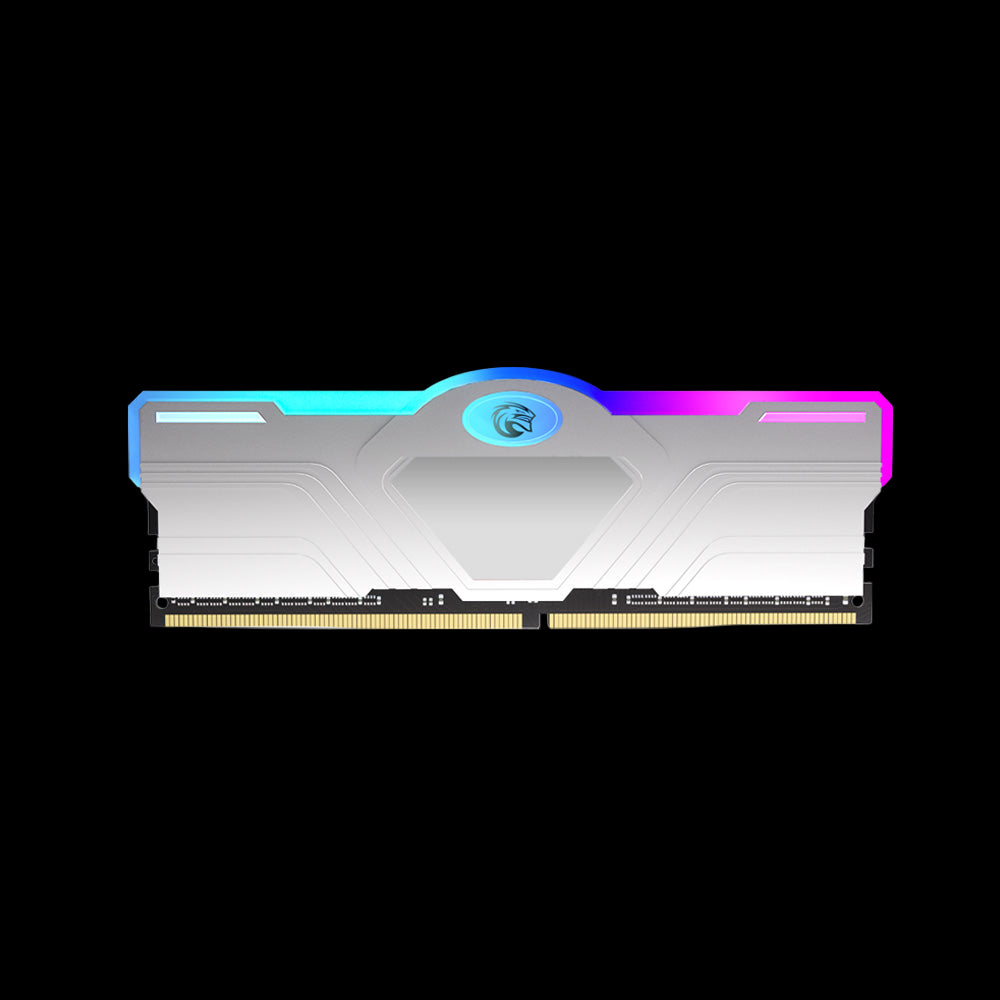
Key features:
- DDR4 memory with stable speed and performance
- RGB lighting for a clean and modern look
- Designed for desktop computers
This DDR4 RAM delivers dependable performance while adding a stylish touch to your setup. It is a practical upgrade that improves responsiveness without complicating installation.
Who needs it:
- Desktop users who want smoother multitasking
- Casual and mid level gamers
- Users upgrading from older DDR3 systems
KingSpec DDR4 RAM Memory with Heatsink
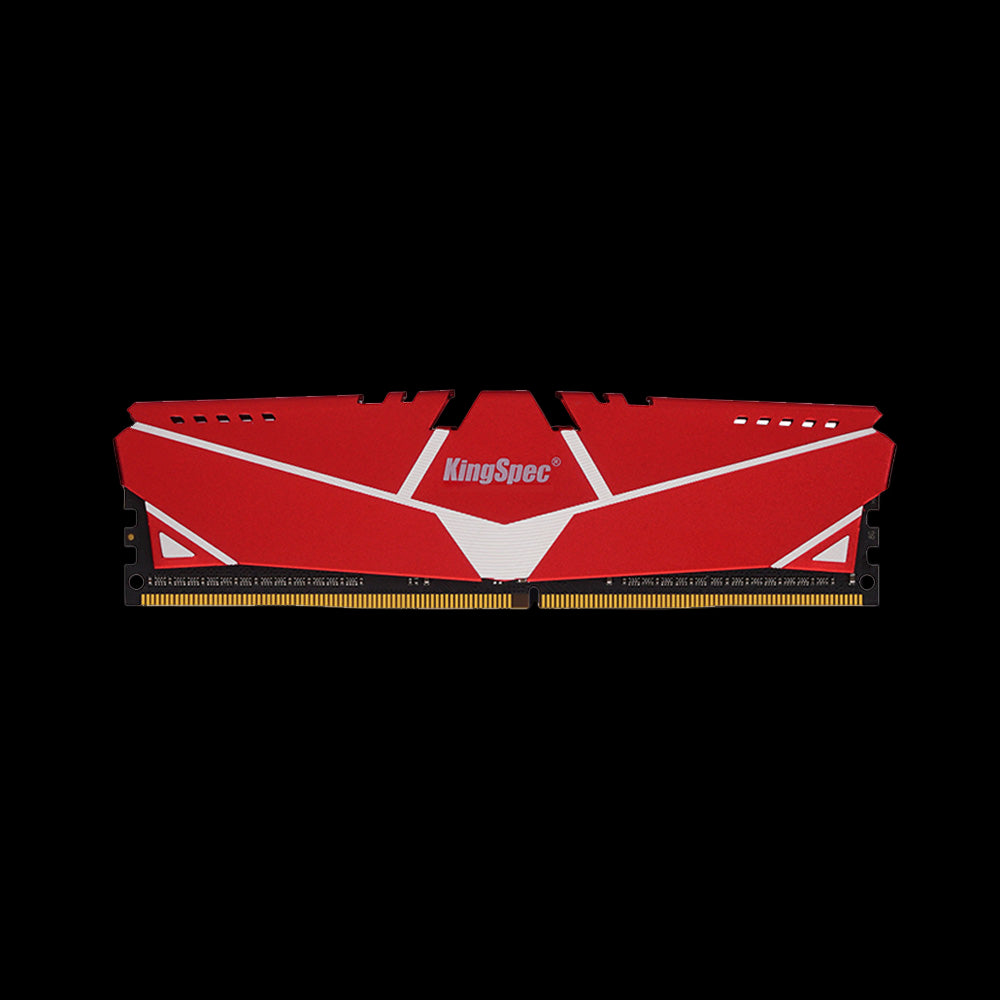
Key features:
- Built in heatsink for better temperature control
- Consistent DDR4 performance under load
- Designed for long term system stability
The heatsink helps maintain steady performance during long hours of use. This makes it a good option for users who want reliability without frequent system tuning.
Who needs it:
- Users who run multiple programs at once
- Light content creators
- Desktop computers used for long sessions
KingSpec DDR4 RAM Memory for Notebook
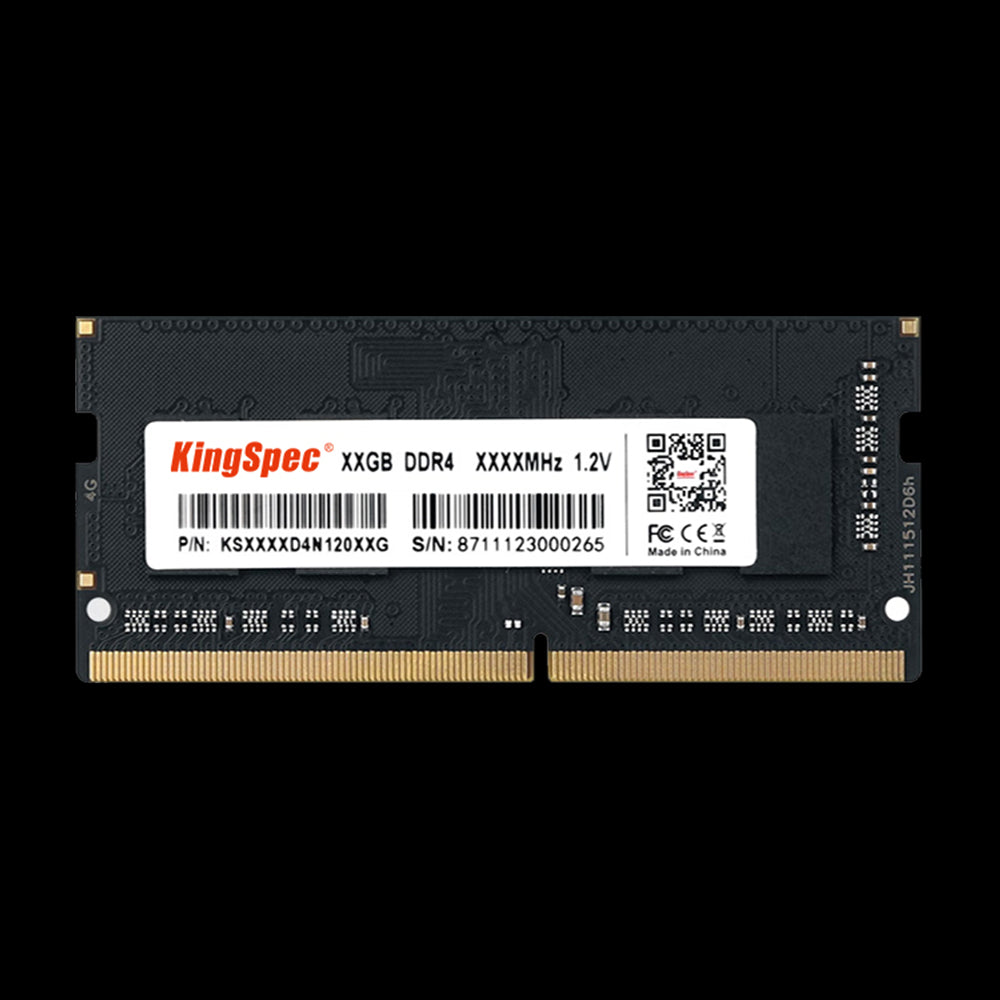
Key features:
- DDR4 RAM built specifically for laptops
- Power efficient design
- Simple upgrade for compatible notebooks
This laptop DDR RAM helps improve system responsiveness and reduces slowdowns during everyday tasks. It is an easy way to extend the life of a notebook.
Who needs it:
- Students using laptops for school
- Office users with older notebooks
- Anyone looking for a simple laptop upgrade
KingSpec DDR5 RAM Memory RGB Templar

Key features:
- High speed DDR5 memory
- Improved power efficiency for modern systems
- RGB lighting for a clean, updated look
This DDR5 RAM is built for newer platforms that benefit from higher bandwidth. It supports smoother performance in demanding applications and modern games.
Who needs it:
- Users building new PCs
- Performance focused gamers
- Creators working with heavy software
How to Know What DDR RAM You Have

Knowing your DDR RAM type helps avoid buying incompatible upgrades. Most systems show memory details in the settings menu.
You can also use built in system tools to check memory speed and generation. Both laptops and desktops clearly list whether the RAM is DDR3, DDR4, or DDR5.
Can You Mix or Upgrade DDR RAM
Upgrading DDR RAM can boost performance, but compatibility matters. Different DDR generations cannot be mixed.
Can DDR4 Fit in a DDR5 Slot
DDR4 cannot fit into a DDR5 slot because the physical design is different. This prevents damage and incorrect installation.
What Happens If You Use the Wrong DDR RAM
Using the wrong DDR RAM usually stops the computer from starting. This protects the system from hardware issues.
DDR RAM for Laptops vs Desktops
Laptops and desktops use different RAM sizes. Laptops use smaller modules, while desktops use larger ones.
Some laptops allow upgrades, while others have fixed memory. Always check your system before buying DDR RAM.
Common Myths About DDR RAM
Many people misunderstand how DDR RAM works. Clearing these myths helps you choose better memory.
- More RAM does not always mean faster performance
- Newer DDR versions do not automatically improve older systems
- Speed and capacity both affect performance
Quick DDR RAM Buying Tips
When buying DDR RAM, check system compatibility first. The motherboard decides which DDR generation works.
Think about your daily use before choosing speed and capacity. Balanced DDR RAM improves real world performance more than chasing numbers.
Conclusion
Understanding what DDR RAM is helps you choose the right memory and get better performance from your computer. From daily tasks to gaming, DDR RAM plays a key role in how smooth and responsive a system feels.
For more helpful guides, tips about memory, storage, and even recreational tech topics, KingSpec is a great place to explore.
KingSpec also offers products like DDR RAM, memory cards, gaming storage, internal storage, external storage, SSDs, and more to support a wide range of computer needs.
FAQs About What Is DDR RAM
Which RAM Is Better, DDR4 or DDR5?
DDR4 works well for most users and is widely supported. DDR5 offers higher performance but needs newer hardware. The better choice depends on your system and budget.
Is DDR RAM Good for Gaming?
DDR RAM is important for gaming performance and smooth gameplay. Enough RAM helps prevent stuttering and long load times. Faster memory can help, but it is not the only factor.
Is 16GB of DDR4 RAM Good in 2026?
For many users, 16GB of DDR4 RAM is still enough for daily tasks and gaming. It handles multitasking and modern apps well. Heavy workloads may need more.
Which RAM Is Faster, DDR3 or DDR4?
DDR4 is faster and more efficient than DDR3. It supports higher speeds and better power use. That makes it the better option for newer systems.
Is DDR5 Faster for Gaming?
DDR5 can improve performance in some games on newer systems. The difference is not always large compared to DDR4. Other hardware parts also matter.

