
Building a new computer feels like designing a custom race car. You choose the engine and the wheels. But when you look at memory, it gets confusing. You are stuck choosing between DDR4 vs. DDR5.
This decision is huge. It determines which motherboard you need and if your PC will handle future games. You cannot just swap them later.
Consider a budget-friendly upgrade with our KingSpec DDR4 RAM. Or perhaps you are building a monster rig and need the fastest speeds available.
In this guide, we will break down the real differences. We will cut through the technical talk to help you decide if the upgrade is worth the cash.
The Key Takeaways
- Speed: DDR5 is significantly faster. It starts at 4800MHz. DDR4 usually tops out at 3200MHz.
- Price: DDR4 is much more affordable. It offers better value for budget builds and simple office PCs.
- Compatibility: You cannot mix them. A motherboard fits only one type. You cannot plug a DDR5 stick into a DDR4 slot.
- Gaming: DDR5 offers a boost in frames per second (FPS) for high-end gaming. However, DDR4 is still excellent for 90% of gamers.
- Future Proofing: DDR5 is the new standard. If you are building a high-end PC to last 5 years, go with DDR5.
You May Want to Shop DDR4 Laptop RAM
Explore More


DDR4 vs DDR5: What is the Difference? (The Basics)
Before we look at the charts and graphs, let us define what we are actually talking about.
RAM (Random Access Memory) is your computer's short-term memory. It is like a physical desk. Your hard drive is the filing cabinet where you store everything long-term.
When you want to work on a file, you pull it out of the cabinet (Hard Drive) and put it on the desk (RAM).
The bigger and faster the desk, the more projects you can work on at once without slowing down.
What is DDR4?
DDR4 (Double Data Rate 4) is the reliable standard. It has been around since 2014. It is like a trusted sedan. It is reliable. It is cheap to fix.
It gets you where you need to go. Millions of computers around the world use DDR4. It is stable and works with almost every processor made in the last decade.
What is DDR5?
DDR5 (Double Data Rate 5) is the successor. It was released in 2020. It is like a modern sports car. It is designed to handle the massive data requirements of modern processors. CPUs today have many "cores" or brains.
They need data fed to them incredibly fast. DDR4 was starting to become a bottleneck. It could not feed the data fast enough. DDR5 solves this problem.
The Physical Difference
You might think you can just buy a stick of DDR5 and shove it into your old computer. You cannot.
There is a small gap or "notch" on the bottom of the gold contacts on every RAM stick.
- On DDR4, the notch is slightly closer to the middle.
- On DDR5, the notch is slightly more to the side.
This is a safety feature. It physically prevents you from plugging the wrong RAM into the wrong motherboard. If you try to force it, you will break your motherboard.
Speed and Bandwidth (The Highway Analogy)
The biggest selling point of the newer memory is raw speed.
Think of RAM like a highway. The data are the cars.
👉 DDR4 is a two-lane highway. It typically runs at speeds between 2133 MHz and 3200 MHz. It moves traffic well. However, during rush hour (like gaming or video editing), traffic can slow down.
👉 DDR5 is a four-lane superhighway. It starts at 4800MHz and goes much higher. We are already seeing kits capable of 7000MHz and beyond. This means it can move data to your CPU much faster.
Why Bandwidth Matters
If you are just browsing the web or writing a document, you will not notice the difference. The traffic is light. However, if you do heavy multitasking, the difference is huge.
Imagine you are:
- Playing a game.
- Streaming that game to Twitch.
- Have a Discord call open.
- Have a web browser open on a second monitor.
DDR4 might start to "choke" under this load. The cars are stuck in traffic. DDR5 keeps the traffic moving smoothly. To understand exactly how these numbers affect performance, read our deep dive on DDR5 RAM Speed.
- Winner: DDR5 destroys DDR4 in raw speed.
- Recommendation: For professional workstations, check out our DDR5 RAM 32GB kits.
Under the Hood (Architecture Changes)
DDR5 is not just "faster DDR4." It works differently on the inside. Here are three major changes that make it special.
1. Power Management (PMIC)
In the past, the motherboard controlled the power for the RAM. With DDR5, the power management chip (PMIC) is moved directly onto the RAM stick itself.
- The Benefit: This allows for cleaner and more stable power delivery. This is crucial for running at such high speeds.
- The Downside: It makes the RAM stick itself more expensive to manufacture. It also generates more heat on the stick.
2. Higher Capacity per Stick
DDR4 sticks usually topped out at 16GB or 32GB. DDR5 is designed to go much bigger. We are already seeing single sticks of 32GB and 48GB.
- This means it is much easier to have 64GB or even 128GB of RAM in a standard computer.
- For video editors who load massive 4K or 8K video files into memory, this is a dream come true.
3. On-Die ECC (Error Correction)
Computers sometimes make mistakes. A bit of data might flip from a 0 to a 1. This can cause a crash or a "Blue Screen of Death."
- DDR5 has a built-in "spell checker" called On-Die ECC. It catches and fixes simple errors inside the memory chip itself.
- This makes DDR5 generally more stable than DDR4 running at high speeds.
Is DDR5 Worth It for Gaming?
This is the most common question we get at KingSpec. Does faster RAM give you more FPS (Frames Per Second)?
The answer is yes. But it is complicated.
The 1080p Scenario
If you play games at 1080p resolution, your CPU does a lot of the work. In this case, fast RAM helps the CPU work faster.
- Result: You might see a 5% to 15% boost in FPS with DDR5 in CPU-heavy games like Cyberpunk 2077 or Call of Duty.
The 4K Scenario
If you play games at 4K resolution, your Graphics Card (GPU) is doing all the heavy lifting. The CPU is just waiting for the GPU.
- Result: The difference between DDR4 and DDR5 might be almost zero. Maybe 1% or 2%.
The "1% Lows"
This is a technical term, but it is important. "Average FPS" is how smooth the game feels most of the time. "1% Lows" represent the stuttering or big dips in performance.
- DDR5 is excellent at improving these 1% lows. Even if your average FPS is the same, the game will feel smoother because there are fewer micro-stutters.
If you are on a strict budget, a high-quality DDR4 kit is often the smarter choice. It allows you to save money that you can spend on a better graphics card instead.
✨ For a detailed breakdown of which kits perform best in games, check our guide on the Best DDR4 RAM for Gaming.
- Winner: DDR5 wins on performance. DDR4 wins on value.
- Recommendation: If you are building a budget gaming PC, our DDR4 RAM 16GB kits are the sweet spot for performance per dollar.
DDR4 vs DDR5: Latency (The "High CL" Myth)
When you shop for RAM, you see two numbers. The Speed (MHz) and the Latency (CL).
- Speed: Higher is better.
- Latency: Lower is better.
Here is where people get confused.
- DDR4 typically has a latency of CL16.
- DDR5 typically has a latency of CL40.
You look at that and think, "Wow, DDR5 has terrible latency! It is more than double!"
This is incorrect.
The Waiter Analogy
Imagine a waiter at a restaurant.
- The DDR4 Waiter walks slowly (low speed) but has a very short path to the kitchen (low CL).
- The DDR5 Waiter sprints incredibly fast (high speed) but has a slightly longer path to the kitchen (high CL).
Because the DDR5 waiter moves so fast, the total time it takes to get your food is actually about the same.
DDR5 cycles so quickly that a latency of CL40 takes roughly the same amount of time in nanoseconds as DDR4 at CL16. As DDR5 technology matures, the latency is dropping. We are already seeing CL30 and CL32 kits.
👉 If you are confused about these timings, we explain it simply in our article: What CL for DDR5 RAM?.
Platform Compatibility (Intel vs. AMD)
Your choice of CPU (Processor) might force you to choose one memory type over the other.
Intel (12th, 13th, and 14th Gen)
Intel is very flexible. Their chips support both DDR4 and DDR5.
- However, the Motherboard decides.
- You can buy a Z790 motherboard that takes DDR4.
- Or you can buy a Z790 motherboard that takes DDR5.
- This gives you the option to keep your old RAM to save money.
AMD (Ryzen 7000 and 9000 Series)
AMD is strict. Their new AM5 platform only supports DDR5.
- If you want the latest AMD Ryzen processor, you must buy DDR5 RAM.
- There is no backward compatibility.
If you are upgrading an older laptop, you almost certainly need DDR4. Check out our DDR4 Laptop RAM collection to find the right SODIMM for your machine.
DDR4 vs DDR5 - Which Should You Buy?
Choosing between DDR4 vs DDR5 comes down to your budget and your goals. Here is our final advice.
Buy DDR4 RAM If:
- You are on a budget: It is significantly cheaper. You can get 32GB of DDR4 for the price of 16GB of DDR5.
- You are upgrading an older PC: Most PCs bought before 2021 only support DDR4. Don't throw away a good computer just because the RAM is older.
- You are building an entry-level gaming PC: Spending an extra $50 on RAM gives you less performance than spending an extra $50 on a GPU.
- Check out our guide on the Best DDR4 RAM to find the perfect stick.
Buy DDR5 RAM If:
- You are building a high-end PC: If you have a top-tier CPU (like an Intel i9 or Ryzen 9), do not bottleneck it with old RAM.
- You are a content creator: Video editing, 3D rendering, and compiling code love the extra bandwidth.
- You want to "Future Proof": DDR5 will be the standard for the next 5 to 7 years. When you upgrade your PC in the future, you can likely carry this RAM over to the new build.
- Browse our picks for the Best DDR5 RAM to see what is new.
You May Want to Shop DDR5 RAM:
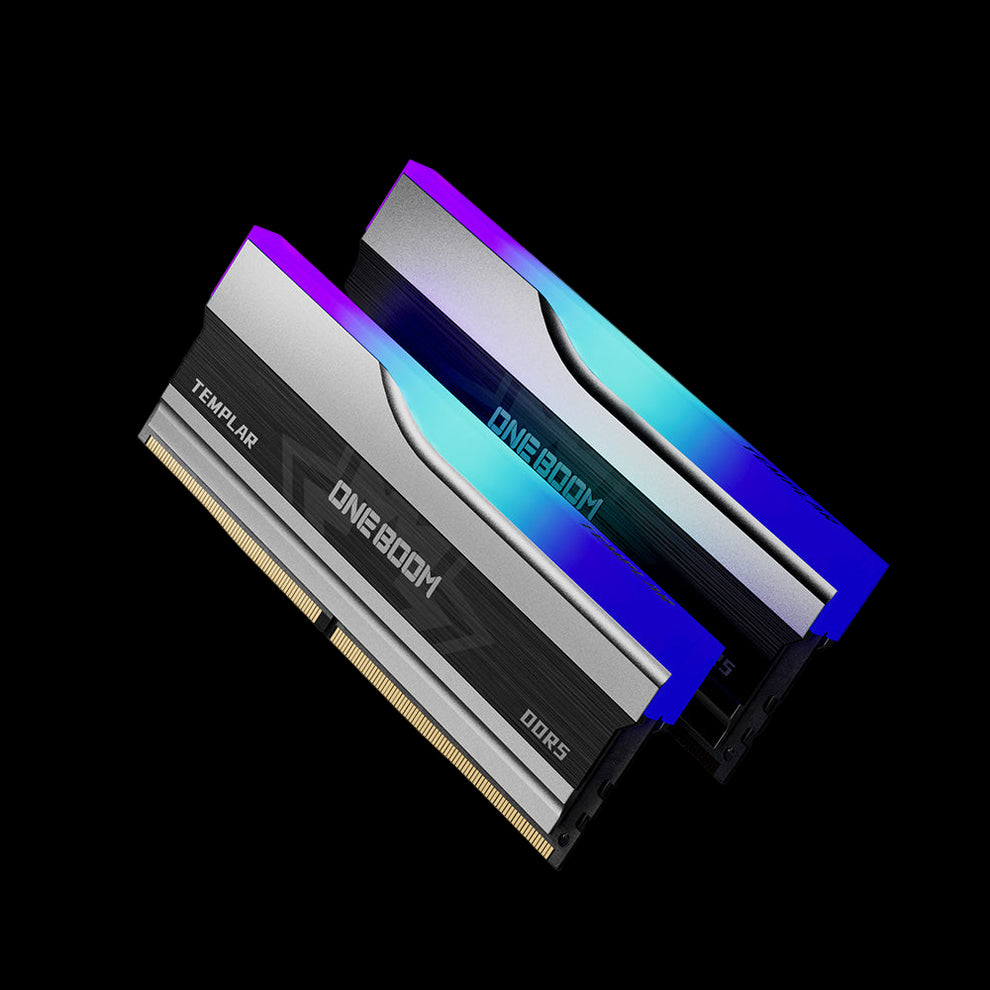
DDR5 RAM Memory RGB Templar
- High DDR5 frequency options
- Supports XMP 3.0 for easy overclocking
- Strong heat spreader design
- Bright and clean RGB lighting
- Stable gaming performance
- Ideal for Intel 13th and 14th Gen CPUs
- Reliable build quality for long-term use
Conclusion
The battle of DDR4 vs DDR5 doesn't have a single winner. It has a winner for you.
If you want the absolute fastest speeds and money is no object, DDR5 is the future. It is exciting, powerful, and ready for tomorrow's software. However, DDR4 remains a powerhouse that offers incredible value for gamers and everyday users. It is not "obsolete" yet. It is just the mature, reliable option.
Final Thought: Don't stress too much about the numbers. Whether you choose the proven reliability of DDR4 or the cutting-edge speed of DDR5, adding more RAM to your system is one of the best ways to make it feel faster and more responsive. A computer with 32GB of RAM is almost always a joy to use, regardless of the generation.
Upgrade Your Memory Today
Ready to speed up your PC? We have the right kit for you.
- DDR5 RAM Collection - Experience the next generation of speed.
- DDR4 Laptop RAM - Give your laptop a new lease on life.
- DDR4 RAM 16GB - The perfect standard for modern multitasking.
FAQs on DDR4 vs DDR5
Can I put DDR5 RAM in a DDR4 motherboard?
No. Absolutely not. The physical slot is different. The notch on the bottom of the stick will not line up. You must buy a motherboard that matches the type of RAM you want to use. You cannot use an adapter either. If you force it, you will break the slot.
Is 16GB of DDR5 better than 32GB of DDR4?
For most people, capacity is king. 32GB of slower DDR4 will often feel smoother than 16GB of faster DDR5. This is especially true if you have lots of Chrome tabs open or run heavy apps like Photoshop. If you have to choose between speed and size, usually size wins for general use.
Does DDR5 run hotter than DDR4?
Yes. It does. DDR5 moves the power management chip from the motherboard directly onto the RAM stick itself. This makes the stick get warmer. That is why many high-end DDR5 kits, like our KingSpec DDR5 RAM, come with heat spreaders (metal covers) to help dissipate the heat.
Will DDR4 become obsolete soon?
Not anytime soon. While new high-end PCs use DDR5, millions of computers still use DDR4. Manufacturers will continue making DDR4 memory for many years to support these systems. It is still a safe investment for a budget build or a replacement part.
Do I need to enable XMP or EXPO for DDR5?
Yes. When you first install DDR5 (or DDR4), it will often run at a slow "stock" speed (like 4800MHz). To get the full advertised speed (like 6000MHz), you must go into your BIOS and enable the XMP (Intel) or EXPO (AMD) profile. It is a simple one-click switch that unlocks the performance you paid for.

